 By Rahul Vats
 Applying for a loan as a government employee has become much easier with the HRMS Odisha Portal. Instead of visiting offices and submitting paperwork, you can now apply for loans online through the portal. This system ensures transparency, faster processing, and better tracking.
However, many employees still feel confused about how to apply for a loan using HRMS Odisha. Therefore, this guide will explain the complete loan application process step by step, along with requirements, tips, and solutions to common issues. Moreover, you will learn how to track your loan status and avoid mistakes.
What is HRMS Odisha Loan Facility?
Before you begin, you should understand the loan facility available on the portal. HRMS Odisha allows employees to apply for different types of loans directly through the system.
Common Loan Types:
- House Building Advance
- Vehicle Loan
- Personal Loan
- Festival Advance
Therefore, you can choose a loan based on your requirements.
Why Use HRMS Odisha for Loan Application?
Applying for loans through HRMS Odisha offers several advantages.
Key Benefits:
- Online application process
- Faster approval and tracking
- Reduced paperwork
- Transparent system
As a result, employees can manage loans efficiently.
Requirements Before Applying fora Loan
Before starting the process, make sure you have all the required details ready.
You Need:
- HRMS ID or Username
- Password
- Loan type selection
- Salary details
- Supporting documents
- Stable internet connection
In addition, ensure you meet the eligibility criteria.
Step-by-Step Guide to Apply for a Loan in HRMS Odisha
Now, let’s go through the complete process. Follow each step carefully.
Step 1: Visit the Official HRMS Odisha Portal
First, open your browser and visit the official HRMS Odisha website.
Always use the correct portal to avoid security risks. Once the homepage loads, go to the login section.
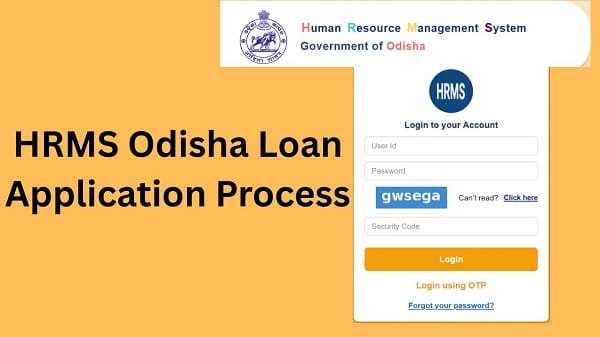
Step 2: Log In to Your Account
Next, enter your login details:
- HRMS ID or Username
- Password
After that, complete OTP verification if required. Then, click on the Login button.
If your details are correct, you will be able to access your dashboard.
Step 3: Navigate to the Loan Section
After logging in, look for the Loan or Advance section.
This section contains all loan-related services.
Step 4: Select Loan Type
Now, choose the type of loan you want to apply for.
Examples:
- House building
- Vehicle loan
- Personal loan
Make sure you select the correct option.
Step 5: Fill out the Loan Application Form
Next, fill in the application form with the required details.
Required Information:
- Loan amount
- Purpose of the loan
- Repayment details
- Employment details
Ensure all information is accurate.
Step 6: Upload Supporting Documents
After filling the form, upload the necessary documents.
Examples:
- Salary certificate
- ID proof
- Property documents (if required)
Therefore, proper documentation ensures approval.
Step 7: Review Application
Before submitting, review all details carefully.
Check:
- Loan amount
- Personal details
- Documents uploaded
As a result, you can avoid errors.
Step 8: Submit Loan Application
Finally, click on the Submit button.
After submission:
- Your application gets recorded
- It goes for approval
Therefore, the process moves to the next stage.
How to Check Loan Application Status
After applying, you can track your application.
Steps:
- Go to the Loan section
- Click on Application Status
- View current status
Status Types:
- Pending
- Approved
- Rejected
As a result, you can stay updated.
What to Do After Loan Approval
Once your loan is approved, you should take a few steps.
Recommended Actions:
- Check loan details
- Review repayment schedule
- Monitor deductions
Therefore, proper management is important.
Common Issues While Applying for a Loan (And Fixes)
Although the process is simple, users sometimes face problems. However, you can easily fix them.
1. Application Not Submitting
Solution:
- Fill all required fields
- Check the internet connection
- Refresh the page
2. Documents Not Uploading
Solution:
- Check file format and size
- Upload clear documents
3. Incorrect Loan Details
Solution:
- Review the form before submission
- Correct errors
4. Status Not Updating
Solution:
- Refresh page
- Wait for processing
Tips for a Smooth Loan Application
To avoid issues, follow these simple tips.
Helpful Tips:
- Choose the correct loan type
- Enter accurate details
- Upload proper documents
- Apply within eligibility limits
As a result, your application gets approved faster.
Common Mistakes You Should Avoid
Many employees make simple mistakes.
Avoid These:
- Selecting the wrong loan type
- Entering an incorrect amount
- Submitting an incomplete form
- Ignoring eligibility
Therefore, careful application is essential.
What to Do If a Loan Application is Rejected
If your application gets rejected, do not worry.
You Can:
- Check rejection reason
- Correct errors
- Reapply
They can help improve your chances.
FAQs on HRMS Odisha Loan Application
Q1. How can I apply for a loan?
A: You can apply through the Loan section after logging in.
Q2. Can I track my loan status?
A: Yes, through the portal.
Q3. What documents are required?
A: It depends on the loan type.
Q4. How long does approval take?
A: It depends on the department processing.
Q5. Can I reapply after rejection?
A: Yes, after correcting errors.
Conclusion
Applying for a loan through the HRMS Odisha Portal is simple when you follow the correct steps. First, log in to your account, then navigate to the loan section, fill in the details, and submit your application.
Moreover, by understanding the process and avoiding common mistakes, you can improve your chances of approval. In addition, tracking your application helps you stay informed.
Use this guide to easily apply for your HRMS Odisha loan and manage your finances without hassle.