 By Rahul Vats
 Facing issues while trying to view your salary slip on the HRMS Odisha Portal can feel frustrating, especially when you need it urgently for verification, loans, or personal records. Many employees encounter this problem: the salary slip either does not appear or fails to load.
However, you don’t need to worry. In most cases, you can fix this issue within minutes by following the right steps. Therefore, this guide explains why the RMS Odisha salary slip is not being displayed and how to fix it quickly, along with practical tips to avoid such issues in the future.
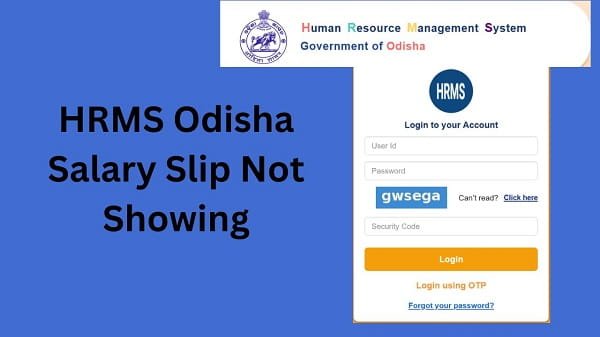
Why HRMS Odisha Salary Slip Is Not Showing
Before applying solutions, you should understand the possible reasons. In most situations, the issue occurs due to simple technical or system-related problems.
Common Causes:
- Salary not processed yet
- Incorrect month or year selection
- Server delay or heavy traffic
- Browser issues
- Internet connection problems
Therefore, identifying the cause helps you fix the issue quickly.
1. Salary Not Processed Yet
First, check whether your salary has been processed.
Why This Happens:
Departments usually update salary data after processing. If you try to check too early, the slip may not appear.
Solution:
- Wait for salary processing
- Check again after some time
As a result, your salary slip should become visible.
2. Incorrect Month or Year Selected
Sometimes, users select the wrong period.
Problem:
If you choose the wrong month or year, the system will not show your slip.
Solution:
- Select the correct month
- Verify the year carefully
Therefore, accurate selection ensures proper results.
3. Server Delay or Heavy Traffic
At times, the portal may face heavy traffic.
Signs:
- Page loading slowly
- Data not appearing
- Errors while accessing payroll
Solution:
- Try again after some time
- Avoid peak hours
As a result, you can easily access your salary slip.
4. Browser Issues
Browser-related problems can prevent the salary slip from loading.
Common Issues:
- Outdated browser
- Cache and cookies problems
Solution:
- Clear browser cache
- Update your browser
- Try another browser
Therefore, switching browsers often resolves the issue.
5. Poor Internet Connection
A weak connection may interrupt loading.
Solution:
- Use stable Wi-Fi
- Restart your router
- Avoid slow mobile data
As a result, the portal will load properly.
6. Login Session Expired
Sometimes, your session may expire.
Problem:
The system automatically logs you out after a period of inactivity.
Solution:
- Log in again
- Refresh the page
Therefore, you can continue without interruption.
7. Technical Glitch in Portal
Occasionally, the issue may be technical.
Signs:
- Salary slips are missing for multiple users
- System errors
Solution:
- Wait for the system update
- Contact support if needed
In such cases, the issue usually resolves quickly.
Quick Fix Summary (Solve in Minutes)
If you want a quick solution, follow these steps:
- Check salary processing status
- Select the correct month and year
- Refresh the page
- Clear browser cache
- Try another browser or device
By following these steps, you can quickly fix most issues.
Tips to Avoid Salary Slip Issues
While fixing the problem is important, prevention is better. Therefore, follow these tips:
Helpful Tips:
- Check salary after official update
- Use updated browsers
- Avoid peak hours
- Maintain a stable internet connection
As a result, you can avoid frequent problems.
What to Do If Salary Slip Still Not Showing
If the issue continues, you should take further steps.
You Can:
- Contact your department’s HR office
- Verify salary processing status
- Reach out to HRMS Odisha support
They can help resolve the issue quickly.
Common Mistakes You Should Avoid
Many users unknowingly make mistakes.
Avoid These:
- Checking salary too early
- Selecting the wrong month
- Ignoring browser updates
- Using an unstable internet
Therefore, careful usage prevents issues.
Conclusion
If your salary slip is not showing on the HRMS Odisha Portal, you can resolve the issue quickly by following a few simple steps. First, check salary processing status, then verify your selected month, and finally try basic troubleshooting methods.
Moreover, understanding the causes helps you resolve the problem faster. In addition, following preventive tips ensures a smooth experience in the future.
Whenever you face this issue, use this guide to fix it quickly and continue accessing your salary details without any hassle.
FAQs on HRMS Odisha Salary Slip Issues
Q1. Why is my salary slip not showing?
A: It may not appear due to processing delays or incorrect selection.
Q2. How long should I wait?
A: You should wait until your department processes the salary.
Q3. Can browser issues affect this?
A: Yes, outdated browsers can cause problems.
Q4. What if others face the same issue?
A: It may be a server issue.
Q5. When should I contact support?
A: If the issue continues for a long time.