 By Rahul Vats
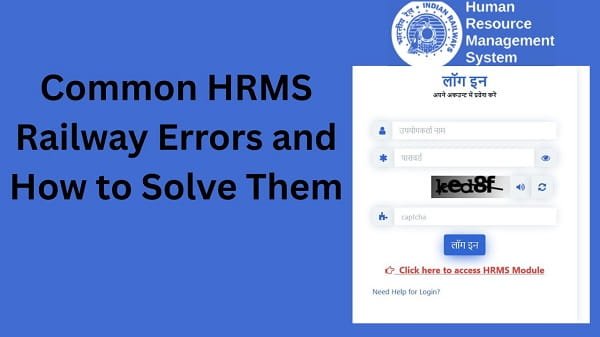
 While using the HRMS Indian Railways, many employees face technical or login-related issues. These errors can interrupt important tasks such as checking salary, applying for leave, or accessing service records.
However, most of these problems are simple and can be fixed quickly. Therefore, this guide explains common HRMS Railway errors and how to resolve them step by step, along with useful tips to avoid them in the future. Moreover, you will learn how to handle errors without stress.
Why HRMS Railway Errors Occur
Before fixing any issue, you should understand why these errors happen. In most cases, errors occur due to technical glitches or user mistakes.
Common Causes:
- Incorrect login details
- Poor internet connection
- Server issues
- Browser problems
- Outdated information
Therefore, identifying the cause helps you apply the right solution.
1. Login Error (“Invalid Credentials”)
This is one of the most common issues.
Why It Happens:
- Wrong HRMS ID or password
- Typing errors
Fix:
- Recheck login details
- Turn off Caps Lock
- Reset password if needed
As a result, you can log in successfully.
2. OTP Not Received
OTP issues can block login or verification.
Causes:
- Network problems
- Incorrect mobile number
- DND enabled
Fix:
- Check network signal
- Verify mobile number
- Disable DND
- Wait and retry
Therefore, OTP should arrive properly.
3. Account Locked Issue
Multiple incorrect attempts may lock your account.
Fix:
- Wait for lock period
- Reset password
- Contact support if needed
As a result, your account gets unlocked.
4. Website Not Opening
Sometimes, the HRMS portal may not load.
Causes:
- Server downtime
- Internet issues
Fix:
- Check internet connection
- Try again later
- Use a different browser
Therefore, access becomes possible.
5. Salary Slip Not Showing
Employees often face this issue.
Causes:
- Salary not processed
- Wrong month selected
Fix:
- Select correct month
- Wait for processing
- Refresh the page
As a result, salary details appear.
6. Leave Application Not Submitting
Leave-related errors can delay approvals.
Causes:
- Incomplete form
- Incorrect details
Fix:
- Fill all fields
- Check leave balance
- Submit again
Therefore, application gets processed.
7. Page Loading Slowly
Slow performance can affect user experience.
Causes:
- Weak internet
- High server traffic
Fix:
- Use stable internet
- Avoid peak hours
- Clear browser cache
As a result, speed improves.
8. Data Not Updating
Sometimes, changes do not reflect immediately.
Causes:
- Pending approval
- System delay
Fix:
- Wait for updates
- Check approval status
- Contact department
Therefore, data gets updated.
9. Document Upload Error
Uploading documents may fail sometimes.
Causes:
- Large file size
- Unsupported format
Fix:
- Use correct format
- Reduce file size
- Upload again
As a result, the documents were uploaded successfully.
10. Session Expired Error
Session issues can interrupt your work.
Causes:
- Inactivity
- Timeout
Fix:
- Log in again
- Complete tasks quickly
Therefore, session remains active.
Quick Fix Summary (Solve Fast)
If you face any HRMS error, follow these steps:
- Check login details
- Verify internet connection
- Clear browser cache
- Refresh or log in again
- Wait for server issues to resolve
- Contact support if needed
By following these steps, you can quickly fix most errors.
Tips to Avoid HRMS Railway Errors
While fixing issues is important, prevention is better.
Helpful Tips:
- Use correct login details
- Maintain stable internet connection
- Update your browser regularly
- Avoid multiple login attempts
- Check details before submitting
As a result, you can avoid repeated errors.
Common Mistakes You Should Avoid
Many users unknowingly create problems.
Avoid These:
- Entering incorrect credentials
- Ignoring system messages
- Using outdated browsers
- Submitting incomplete forms
Therefore, careful usage improves your experience.
What to Do If Error Still Not Solved
If the issue continues, take further steps.
You Can:
- Contact your department HR office
- Verify your account details
- Reach out to HRMS Railway support
They can help resolve the issue quickly.
Importance of Error-Free Usage
Using HRMS without errors improves productivity.
Key Benefits:
- Saves time
- Reduces stress
- Ensures smooth operations
Therefore, proper usage is essential.
Conclusion
Facing errors on the HRMS Indian Railways is common, but most issues have simple solutions. First, identify the problem, then apply the appropriate fix, and finally try again.
Moreover, by following preventive tips and avoiding common mistakes, you can ensure smooth usage. In addition, timely action helps you avoid delays.
Whenever you encounter an HRMS Railway error, use this guide to resolve it quickly and continue your work without interruption.
FAQs on HRMS Railway Errors
Q1. Why do HRMS errors occur?
A: They occur due to technical or user issues.
Q2. How can I fix login errors?
A: Check credentials or reset password.
Q3. Can server issues cause errors?
A: Yes, server downtime can affect access.
Q4. What should I do if data is not updating?
A: Wait or contact your department.
Q5. Who should I contact for help?
A: Contact your department or HRMS support.