 By Rahul Vats
 Managing urgent financial needs becomes easier when you can access your Provident Fund (PF) in advance. With the HRMS Indian Railways, railway employees can apply for PF advance online without visiting any office. This digital process saves time and ensures faster approvals.
Earlier, employees had to submit physical forms and wait for manual processing. However, the HRMS portal now allows you to apply for, track, and manage PF advance requests directly from your dashboard. Therefore, this guide explains how to apply for a PF advance in HRMS Railway step by step, along with eligibility, rules, tips, and solutions to common issues.
What is PF Advance in HRMS Railway?
Before starting the process, you should understand what a PF advance means. PF advance allows employees to withdraw a portion of their Provident Fund before retirement for specific purposes.
Common Uses:
- Medical emergencies
- Marriage expenses
- Education needs
- House construction or repair
Therefore, PF advances help employees meet urgent financial needs.
Why Use HRMS for PF Advance Application
Applying through HRMS offers several advantages.
Key Benefits:
- Online application process
- Faster approval
- Easy tracking
- Reduced paperwork
As a result, employees can manage funds efficiently.
Eligibility for PF Advance
Before applying, ensure that you meet the eligibility criteria.
Eligible Users:
- Permanent railway employees
- Employees with sufficient PF balance
- Employees meeting withdrawal conditions
Therefore, check eligibility before applying.
Requirements Before Applying for PF Advance
Before starting the process, make sure you have all the required details ready.
You Need:
- HRMS ID or Username
- Password
- PF account details
- Purpose of withdrawal
- Supporting documents (if required)
- Stable internet connection
In addition, ensure your profile details are up to date.
Step-by-Step Guide to Apply for PF Advance in HRMS Railway
Now, let’s go through the complete process. Follow each step carefully.
Step 1: Visit the Official HRMS Railway Portal
First, open your browser and visit the official HRMS Railway website.
Always use the correct portal to avoid security risks. Once the homepage loads, go to the login section.
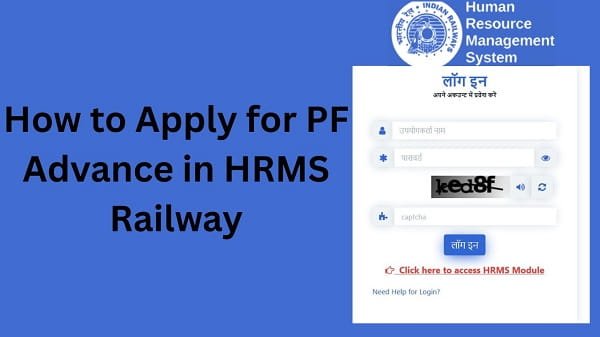
Step 2: Log In to Your Account
Next, enter your login details:
- HRMS ID or Username
- Password
After that, complete OTP verification if required. Then, click on the Login button.
If your details are correct, you will be able to access your dashboard.
Step 3: Navigate to PF/Advance Section
After logging in, look for the PF or Advance section.
This section contains all PF-related services.
Step 4: Select PF Advance Option
Now, click on the Apply for PF Advance option.
This will open the application form.
Step 5: Enter Withdrawal Details
Next, fill in your PF advance details.
Required Information:
- Amount to withdraw
- Purpose of withdrawal
- PF balance details
Therefore, provide accurate information.
Step 6: Upload Supporting Documents
If required, upload relevant documents.
Examples:
- Medical bills
- Marriage proof
- Education documents
As a result, your application becomes valid.
Step 7: Review Application
Before submitting, review all details carefully.
Check:
- Withdrawal amount
- Purpose
- Documents
Therefore, double-check everything to avoid errors.
Step 8: Submit PF Advance Application
Finally, click on the Submit button.
After submission:
- Your application gets recorded
- It goes for approval
As a result, the process begins.
How to Check PF Advance Application Status
After applying, you can track your application status.
Steps:
- Go to the PF section
- Click on Application Status
- View current status
Status Types:
- Pending
- Approved
- Rejected
Therefore, you can stay updated.
What to Do After PF Advance Approval
Once your request gets approved, you should take a few steps.
Recommended Actions:
- Verify the approved amount
- Check account credit
- Maintain records
As a result, you can manage funds properly.
Common Issues While Applying for PF Advance (And Fixes)
Although the process is simple, users sometimes face problems. However, you can easily fix them.
1. Application Not Submitting
Solution:
- Fill all required fields
- Check the internet connection
2. Incorrect Details Entered
Solution:
- Review application
- Edit before submission
3. Documents Not Uploading
Solution:
- Check file size and format
- Upload clear documents
- Status Not Updating
Solution:
- Refresh page
- Wait for processing
Tips for Smooth PF Advance Application
To avoid issues, follow these simple tips.
Helpful Tips:
- Apply only when necessary
- Enter accurate details
- Keep documents ready
- Track the application regularly
As a result, your application gets approved faster.
Common Mistakes You Should Avoid
Many employees make simple mistakes.
Avoid These:
- Entering an incorrect amount
- Selecting the wrong purpose
- Submitting an incomplete application
- Ignoring eligibility rules
Therefore, careful application ensures success.
What to Do If PF Advance Is Rejected
If your application gets rejected, do not worry.
You Can:
- Check rejection reason
- Correct errors
- Reapply
They can help improve your chances.
Conclusion
Applying for PF advance through the HRMS Indian Railways is simple and convenient when you follow the correct steps. First, log in to your account, then navigate to the PF section, fill in the details, and submit your application.
Moreover, by understanding eligibility and avoiding common mistakes, you can improve your chances of approval. In addition, tracking your application helps you stay informed.
Use this guide to easily apply for your HRMS Railway PF advance and manage your financial needs without hassle.
FAQs
Q1. What is PF advance?
A: It is a partial withdrawal of PF before retirement.
Q2. How can I apply for a PF advance?
A: You can apply through the PF section after logging in.
Q3. Can I track application status?
A: Yes, through the portal.
Q4. How long does approval take?
A: It depends on processing time.
Q5. What if my application is rejected?
A: You can correct and reapply.