 By Rahul Vats
 Facing OTP issues while trying to log in or reset your password on the HRMS Indian Railways can be frustrating, especially when you need quick access to important services. OTP (One-Time Password) plays a key role in securing your account, so without it, you cannot complete the login or verification steps.
However, the good news is that you can fix this issue easily by following the right methods. Therefore, this guide explains why the HRMS Railway OTP is not being received and how to fix it quickly, along with practical tips to prevent the problem in the future.
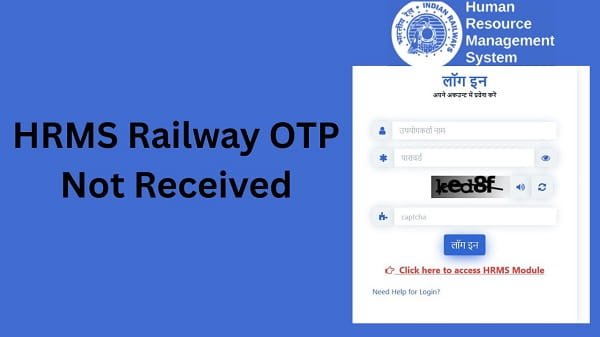
Why HRMS Railway OTP Is Not Received
Before applying any solution, you should understand the possible causes behind the issue. In most cases, OTP issues stem from simple technical or network-related factors.
Common Causes:
- Weak or unstable network signal
- Incorrect registered mobile number
- DND (Do Not Disturb) enabled
- Server delay or heavy traffic
- SMS inbox full
Therefore, identifying the root cause helps you apply the correct fix.
1. Check Your Mobile Network
First, check your network signal.
Why It Matters:
A weak signal may block SMS delivery.
Fix:
- Move to an area with better network coverage
- Switch between SIM networks if possible
- Restart your phone
As a result, your device can receive OTP messages properly.
2. Verify Your Registered Mobile Number
Sometimes, the OTP issue occurs because of an incorrect mobile number.
Fix:
- Check your registered number in the HRMS profile
- Update it if necessary
Therefore, always ensure your number is correct.
3. Disable DND (Do Not Disturb)
DND settings can block OTP messages.
Fix:
- Turn off DND in your phone settings
- Contact your telecom provider if needed
As a result, your phone will receive OTP messages without restrictions.
4. Wait for Server Response
At times, the portal may experience heavy traffic.
Signs:
- OTP arrives late
- Delay in receiving SMS
Fix:
- Wait for a few minutes
- Avoid requesting OTP repeatedly
- Try again later
Therefore, patience can solve the issue.
5. Clear SMS Inbox
If your SMS inbox is full, your phone may not receive new messages.
Fix:
- Delete old messages
- Free up storage space
As a result, your device can receive new OTP messages.
6. Avoid Multiple OTP Requests
Requesting OTP multiple times quickly can cause delays.
Fix:
- Request OTP once
- Wait before trying again
Therefore, avoid repeated attempts.
7. Check SIM Card Issues
Sometimes, SIM-related problems may block messages.
Fix:
- Reinsert your SIM card
- Try another device
- Contact your network provider
As a result, your SIM will function properly.
Quick Fix Summary (Solve in Minutes)
If you want a fast solution, follow these steps:
- Check the network signal
- Verify mobile number
- Disable DND
- Clear SMS inbox
- Wait and retry
- Avoid multiple requests
- Check SIM issues
By following these steps, you can quickly fix most OTP problems.
Tips to Avoid OTP Issues in Future
While fixing the issue is important, prevention is even better.
Helpful Tips:
- Keep your mobile number updated
- Maintain good network connectivity
- Avoid repeated OTP requests
- Regularly clear the SMS inbox
As a result, you can avoid future OTP issues.
Common Mistakes You Should Avoid
Many users unknowingly create OTP problems.
Avoid These:
- Entering the wrong mobile number
- Keeping DND enabled
- Requesting OTP multiple times
- Ignoring network issues
Therefore, careful usage ensures smooth verification.
What to Do If OTP Still Not Received
If the problem continues, you should take further steps.
You Can:
- Contact your department’s HR office
- Verify your account details
- Reach out to HRMS Railway support
They can help resolve the issue quickly.
Importance of OTP in HRMS Railway
OTP plays a vital role in securing your account.
Key Benefits:
- Protects sensitive data
- Prevents unauthorized access
- Ensures secure login
Therefore, OTP verification is essential.
FAQs on HRMS Railway OTP Issue
Q1. Why am I not receiving OTP?
A: It may be due to network issues or an incorrect mobile number.
Q2. How long should I wait for OTP?
A: Usually, it arrives within seconds, but delays may occur.
Q3. Can DND block OTP messages?
A: Yes, DND can block SMS messages.
Q4. What should I do if the OTP is delayed?
A: Wait and try again after some time.
Q5. Who should I contact for help?
A: Contact your department or HRMS support.
Conclusion
If you are not receiving OTPs on the HRMS Indian Railways, you can easily fix the issue by following the simple steps. First, check your network, then verify your mobile number, and finally try basic troubleshooting methods.
Moreover, understanding the causes helps you resolve the problem faster. In addition, following preventive tips ensures a smooth experience in the future.
Whenever you encounter OTP issues, use this guide to fix them quickly and continue using HRMS Railway without interruption.