 By Rahul Vats
 Facing OTP issues on the HRMS Bihar Portal can quickly become frustrating, especially when you need to log in, reset your password, or verify your account. Many users encounter this problem, and it can be confusing when the OTP doesn’t arrive.
However, the good news is that you can fix this issue easily if you understand the real causes and apply the right solutions. In this guide, you will discover why you are not receiving the HRMS Bihar OTP, the real fixes that actually work, and prevention tips for a smoother experience.
Why HRMS Bihar OTP Is Not Received
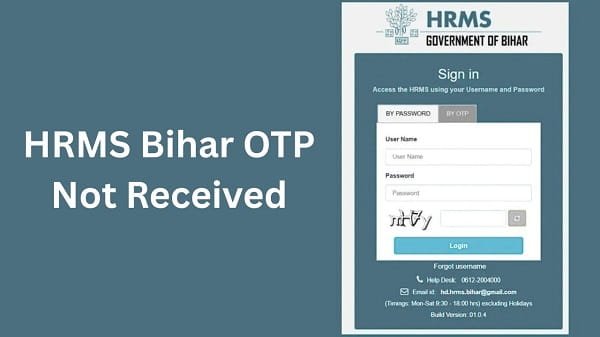
Before jumping into solutions, you should understand the reasons behind this issue. In most cases, OTP issues stem from simple technical or user-related factors.
Common Causes:
- Weak or unstable network connection
- Incorrect registered mobile number
- SMS delay from the telecom provider
- Multiple OTP requests in a short time
- Server load or portal issues
Therefore, identifying the cause helps you solve the problem faster.
1. Check Your Mobile Network First
First, check your network signal. A weak signal often prevents OTP messages from arriving on time.
What You Should Do:
- Move to an area with better signal strength
- Switch between mobile data and Wi-Fi
- Restart your phone
In many cases, this simple step solves the problem instantly.
2. Verify Your Registered Mobile Number
Next, ensure that your registered mobile number is correct and active. If your number has changed, you may not receive OTP messages.
Quick Checks:
- Confirm the number linked to your HRMS account
- Ensure your SIM card is active
- Avoid using inactive or blocked numbers
If your number is incorrect, you should contact your department to update it.
3. Wait Before Requesting Another OTP
Many users request multiple OTPs quickly, which can delay or block the process.
Important Tip:
- Wait at least 30–60 seconds before requesting a new OTP
- Avoid clicking the resend button repeatedly
As a result, you reduce system overload and improve the chances of OTP delivery.
4. Clear Message Inbox and Storage
Sometimes, your phone may not receive new messages due to storage issues.
What to Do:
- Delete old SMS messages
- Free up phone storage
- Restart your device
After that, request a new OTP and check again.
5. Check for DND (Do Not Disturb) Settings
If you have enabled DND on your number, you may not receive OTP messages.
Solution:
- Disable DND services
- Contact your telecom provider if needed
In addition, ensure that your number can receive transactional SMS.
6. Try a Different Browser or Device
Sometimes, the issue is not with your phone but with the browser or device.
You Can:
- Switch to another browser (Chrome, Edge, Firefox)
- Use a different device
- Update your browser to the latest version
Therefore, changing the environment can fix hidden technical issues.
7. Check HRMS Bihar Server Status
At times, the issue may not be on your side. Instead, the HRMS Bihar portal may face heavy traffic or technical maintenance.
Signs of Server Issues:
- Website loading slowly
- OTP not generated at all
- Multiple users are facing the same issue
In such cases, you should wait and try again later.
8. Restart Your Device and Try Again
Although it sounds simple, restarting your phone can fix many temporary glitches.
Steps:
- Turn off your phone
- Wait for a few seconds
- Turn it back on
Then, request the OTP again. Often, this resolves hidden issues.
9. Contact Support if the problem continues
If none of the above fixes work, you should seek help from official sources.
You Can:
- Contact your department’s HR office
- Reach out to HRMS Bihar technical support
They can verify your details and resolve account-related issues.
Bonus Tips to Avoid OTP Issues in the Future
While fixing the problem is important, preventing it is even better. Therefore, follow these tips:
- Keep your mobile number updated
- Maintain good network connectivity
- Avoid multiple OTP requests
- Use a reliable device and browser
- Keep your phone storage free
By following these steps, you can significantly reduce the risk of OTP issues.
Conclusion
OTP issues on the HRMS Bihar Portal can feel annoying, but they usually have simple solutions. First, check your network and registered number. Then, avoid multiple requests and ensure your device works properly. Moreover, understanding server-related issues can help you stay patient during downtime.
In addition, following preventive tips ensures a smoother experience in the future. Whenever you face OTP issues, apply these fixes step by step, and you will resolve the issue quickly.
FAQs on HRMS Bihar OTP Issues
Q1. Why am I not receiving HRMS Bihar OTP?
A: You may not receive OTP due to network issues, incorrect number, or server delays.
Q2. How long should I wait for OTP?
A: You should wait at least 30–60 seconds before requesting a new OTP.
Q3. Can DND block OTP messages?
A: Yes, DND settings can block transactional SMS, including OTPs.
Q4. What if my mobile number is wrong?
A: You need to contact your department to update your registered number.
Q5. Is the OTP issue related to server problems?
A: Yes, sometimes heavy traffic or maintenance can delay OTP delivery.