 By Rahul Vats
 The HRMS Bihar Portal plays a crucial role in managing employee-related services across Bihar government departments. However, many people still wonder who can actually use this portal and whether they are eligible.
Therefore, understanding eligibility becomes important before you try to register or access the system. In this article, you will learn who can use HRMS Bihar, eligibility criteria, user categories, and access rules, along with helpful tips to avoid confusion.
What is HRMS Bihar Portal Access?
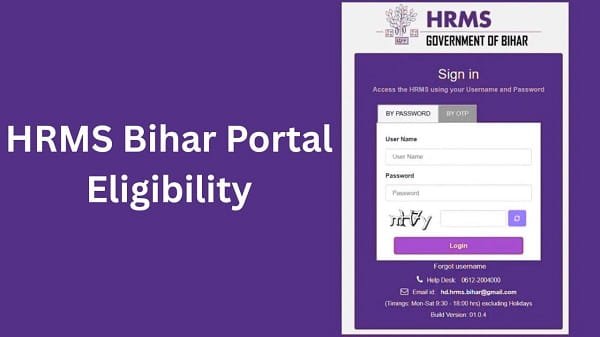
Before discussing eligibility, you should understand what access means. HRMS Bihar does not work like a public website where anyone can create an account. Instead, it is a restricted system designed specifically for government employees and authorized personnel.
Therefore, only users with valid credentials and official records can access the portal.
Who Can Use HRMS Bihar Portal?
Now, let’s look at the main categories of users who can access HRMS Bihar.
1. Bihar Government Employees
First of all, the primary users of HRMS Bihar are government employees working in Bihar.
Eligible Employees Include:
- Permanent employees
- Contractual employees (in some departments)
- Department staff with valid employee ID
These employees can use the portal to:
- Check salary details
- Apply for leave
- Access service records
Therefore, HRMS Bihar mainly serves active government employees.
2. Department and HR Officials
In addition to employees, department officials also use the portal.
Their Role Includes:
- Managing employee data
- Approving leave requests
- Processing payroll
- Generating reports
Therefore, HRMS Bihar supports administrative work as well.
3. Retired Government Employees
Retired employees can also access certain features of the portal.
They Can:
- Check pension details
- Download pension-related documents
- Track payment information
As a result, HRMS Bihar continues to support employees even after retirement.
4. Authorized Government Personnel
Some users get access based on their role or authorization.
Examples:
- Data entry operators
- IT administrators
- Special department staff
However, these users receive limited access based on their responsibilities.
Who Cannot Use HRMS Bihar Portal?
While many users can access the portal, some people are not eligible.
Not Eligible Users Include:
- Private sector employees
- General public
- Students or job seekers
- Individuals without employee ID
Therefore, HRMS Bihar is not a public service platform.
Eligibility Criteria for HRMS Bihar
To use HRMS Bihar, you must meet certain criteria.
Basic Requirements:
- Valid employee ID issued by the Bihar government
- Registered mobile number
- Department verification
- Active employment status (or retirement record)
In addition, your department must add your details to the system.
How Employees Get Access to HRMS Bihar
Unlike public websites, you cannot always register directly.
Access Process:
- Department registers your details
- You receive login credentials
- You activate your account
- You start using the portal
Therefore, access depends on official verification.
Role-Based Access in HRMS Bihar
HRMS Bihar provides different access levels based on user roles.
Types of Access:
- Employee Access: Limited to personal services
- HR/Admin Access: Full control over records and approvals
- Retired User Access: Limited to pension-related services
As a result, each user sees only relevant features.
Why HRMS Bihar Restricts Access
You may wonder why the portal is not open to everyone. There are valid reasons behind this restriction.
Key Reasons:
- Protect sensitive employee data
- Maintain system security
- Ensure accurate record management
- Prevent unauthorized access
Therefore, restricted access ensures safety and reliability.
Benefits of Eligibility-Based Access
Limiting access provides several advantages.
Key Benefits:
- Improved data security
- Better system performance
- Accurate employee records
- Controlled user environment
As a result, the system works efficiently.
Common Confusion About Eligibility
Many users misunderstand eligibility rules.
Common Myths:
- Anyone can register on HRMS Bihar
- Private employees can access the portal
- Registration is open to all
Reality:
- Only authorized government employees can use it
Therefore, understanding eligibility prevents confusion.
Tips for Eligible Users
If you are eligible, you should follow some best practices.
Helpful Tips:
- Keep your login details secure
- Update your profile regularly
- Use official credentials only
- Contact your department for issues
As a result, you can use the portal smoothly.
What to Do If You Are Eligible but Cannot Access
Sometimes, eligible users face access issues.
You Can:
- Contact your department HR office
- Verify your employee details
- Request account activation
Therefore, official support can resolve the issue quickly.
Conclusion
The HRMS Bihar Portal is a specialized platform designed for Bihar government employees and authorized personnel. It offers secure and efficient access to salary, leave, and service records.
Moreover, strict eligibility rules ensure data protection and system reliability. In addition, role-based access allows users to perform only relevant tasks.
Therefore, if you meet the eligibility criteria, you can use HRMS Bihar effectively. Otherwise, you will need official authorization to access the portal.
FAQs on HRMS Bihar Eligibility
Q1. Who can use HRMS Bihar portal?
A: Bihar government employees, officials, and retired staff can use it.
Q2. Can private employees use HRMS Bihar?
A: No, it is only for government employees.
Q3. Do retired employees have access?
A: Yes, they can access pension-related services.
Q4. Can anyone register on HRMS Bihar?
A: No, registration requires official employee details.
Q5. What should I do if I cannot access the portal?
A: Contact your department or HRMS support.