 By Rahul Vats
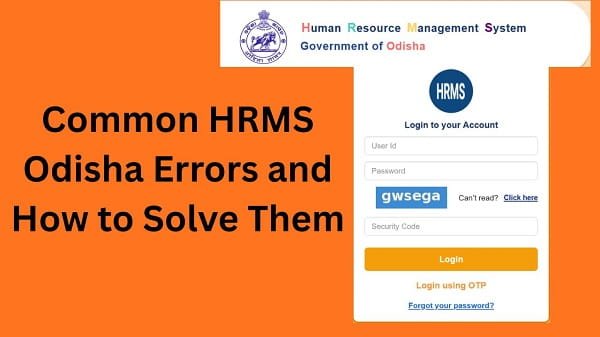
 Using the HRMS Odisha Portal makes managing salary, leave, and service records much easier. However, like any online system, users may occasionally face technical errors that interrupt their work.
Although these errors can feel frustrating, most of them have simple solutions. Therefore, this guide will explain the most common HRMS Odisha errors and how to solve them quickly, along with practical tips to prevent these issues in the future.
Why Do HRMS Odisha Errors Occur?
Before fixing any problem, you should understand why errors happen.
Common Reasons:
- Server overload or maintenance
- Incorrect user input
- Browser-related issues
- Poor internet connection
- System glitches
Therefore, identifying the cause helps you apply the right solution.
1. Login Error (Invalid Credentials)
This is one of the most common issues.
Problem:
You enter your username or password, but the system shows an error.
Solution:
- Double-check your username and password
- Turn off Caps Lock
- Reset password if needed
As a result, you can log in successfully.
2. OTP Not Received Error
Users often face issues with OTP verification.
Problem:
OTP does not arrive or arrives late.
Solution:
- Check your network signal
- Verify your mobile number
- Disable DND
- Wait before requesting again
Therefore, OTP issues can be resolved easily.
3. Website Not Opening Error
Sometimes, the portal may not open at all.
Problem:
The website does not load or shows errors.
Solution:
- Check internet connection
- Use correct URL
- Clear browser cache
- Try another browser
As a result, the website should load properly.
4. Salary Slip Not Showing
Many users report that their salary slip does not appear.
Problem:
No data shows in the payroll section.
Solution:
- Ensure salary is processed
- Select correct month and year
- Refresh the page
Therefore, accurate selection helps fix the issue.
5. Leave Application Not Submitting
This issue occurs while applying for leave.
Problem:
The system does not accept your application.
Solution:
- Fill all required fields
- Check leave balance
- Attach required documents
As a result, your application gets submitted successfully.
6. Account Locked Error
Multiple login attempts may lock your account.
Problem:
You cannot log in due to account lock.
Solution:
- Wait for lock period
- Reset password
- Contact support if needed
Therefore, recovery becomes simple.
7. Page Loading Slowly
Slow loading can interrupt your work.
Problem:
Pages take too long to open.
Solution:
- Use stable internet
- Avoid peak hours
- Restart your device
As a result, performance improves.
8. Data Not Updating Error
Sometimes, updated details do not reflect.
Problem:
Changes do not appear after submission.
Solution:
- Refresh the page
- Log out and log in again
- Wait for system update
Therefore, patience often resolves this issue.
9. Download Button Not Working
Users may face issues while downloading documents.
Problem:
Download option does not respond.
Solution:
- Enable pop-ups
- Update browser
- Try another browser
As a result, downloads work properly.
Quick Fix Summary (Solve Most Errors Fast)
If you want a quick solution, follow these steps:
- Check internet connection
- Verify login details
- Clear browser cache
- Use updated browser
- Avoid peak hours
- Refresh page
By following these steps, you can fix most errors quickly.
Tips to Prevent HRMS Odisha Errors
While fixing errors is important, prevention is better.
Helpful Tips:
- Use a reliable internet connection
- Keep your browser updated
- Enter details carefully
- Avoid multiple login attempts
- Check portal regularly
As a result, you can avoid most issues.
Common Mistakes You Should Avoid
Many users create problems unknowingly.
Avoid These:
- Entering incorrect details
- Ignoring system messages
- Using outdated browsers
- Repeating actions quickly
Therefore, careful usage improves your experience.
What to Do If Errors Continue
If the problem does not resolve, you should take further steps.
You Can:
- Contact your department HR office
- Verify your account details
- Reach out to HRMS Odisha support
They can help resolve the issue quickly.
Importance of Understanding Errors
Knowing common errors helps you respond quickly.
Benefits:
- Saves time
- Reduces frustration
- Improves productivity
Therefore, awareness is very useful.
FAQs on HRMS Odisha Errors
Q1. Why do HRMS Odisha errors occur?
Ans: They occur due to technical or user-related issues.
Q2. Can I fix errors myself?
Ans: Yes, most errors have simple fixes.
Q3. What if the website is down?
Ans: Wait and try again later.
Q4. How can I avoid errors?
Ans: Use proper details and stable internet.
Q5. Who should I contact for help?
Ans: Contact your department or HRMS support.
Conclusion
Facing errors on the HRMS Odisha Portal is common, but you can fix most issues easily. From login errors to salary slip problems, each issue has a simple solution.
Moreover, understanding the causes helps you resolve problems faster. In addition, following preventive tips ensures a smooth experience.
So, whenever you encounter an error, use this guide to fix it quickly and continue using HRMS Odisha without interruption.