 By Rahul Vats
 Tracking your leave status is just as important as applying for leave. With the HRMS Indian Railways, you can check your leave application status online without visiting your office. This feature saves time and provides complete transparency.
Earlier, employees had to follow up manually with their departments. However, now you can monitor your leave approval, rejection, or pending status in just a few clicks. Therefore, this guide will explain how to check leave status in HRMS Railway step by step, along with tips, common issues, and solutions. Moreover, you will learn how to understand your leave status properly.
Why Checking Leave Status is Important
Before you begin, you should understand why tracking your leave status matters.
Key Reasons:
- Confirms whether leave is approved or pending
- Helps plan travel or personal activities
- Avoids confusion or miscommunication
- Ensures proper leave record management
Therefore, regular tracking keeps you informed and prepared.
What Leave Details You Can Check
The HRMS Railway portal provides complete leave-related information.
You Can View:
- Leave application status
- Leave type (CL, EL, etc.)
- Applied dates
- Approval or rejection details
- Leave balance
As a result, you can monitor your leave efficiently.
Requirements Before Checking Leave Status
Before starting the process, make sure you have the required details ready.
You Need:
- HRMS ID or Username
- Password
- Registered mobile number (for OTP if required)
- Stable internet connection
In addition, use an updated browser for better performance.
Step-by-Step Guide to Check Leave Status in HRMS Railway
Now, let’s go through the complete process. Follow each step carefully.
Step 1: Visit the Official HRMS Railway Portal
First of all, open your browser and visit the official HRMS Railway website.
Always use the correct portal to avoid security risks. Once the homepage loads, go to the login section.
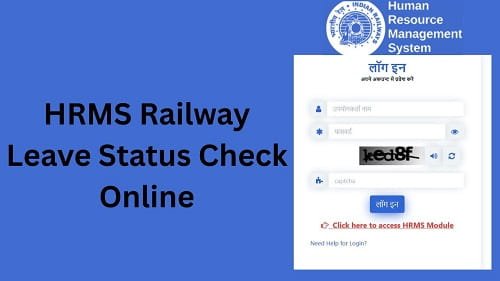
Step 2: Log In to Your Account
Next, enter your login details:
- HRMS ID or Username
- Password
After that, complete OTP verification if required. Then, click on the Login button.
If your details are correct, you will access your dashboard.
Step 3: Navigate to Leave Section
After logging in, look for the Leave Management section.
This section contains all leave-related services.
Step 4: Click on Leave Status Option
Now, select the Leave Status or My Leave Applications option.
This will display your leave records.
Step 5: View Leave Status
After selecting the option, you will see your leave applications.
You Will See:
- Status (Approved, Pending, Rejected)
- Leave dates
- Approval remarks
As a result, you can track your leave easily.
Understanding Leave Status
After checking your status, you should understand what it means.
Common Status Types:
- Pending: Awaiting approval
- Approved: Leave granted
- Rejected: Leave not approved
Therefore, understanding status helps you take action.
What to Do After Checking Leave Status
After reviewing your status, you should act accordingly.
Recommended Actions:
- Wait if status is pending
- Prepare for leave if approved
- Reapply if rejected
As a result, you can manage your leave better.
Common Issues While Checking Leave Status (And Fixes)
Although the process is simple, users sometimes face problems. However, you can fix them easily.
1. Leave Status Not Showing
Solution:
- Refresh the page
- Check correct section
- Ensure leave is applied
2. Unable to Log In
Solution:
- Recheck credentials
- Reset password if needed
3. Incorrect Leave Information
Solution:
- Verify details
- Contact your department
4. Page Loading Slowly
Solution:
- Use stable internet
- Avoid peak hours
Tips for Smooth Leave Status Checking
To avoid issues, follow these simple tips.
Helpful Tips:
- Check status regularly
- Use updated browser
- Avoid multiple login attempts
- Keep login details secure
As a result, the process becomes smooth.
Importance of Leave Management
Proper leave tracking offers several benefits.
Key Benefits:
- Helps maintain work balance
- Ensures proper records
- Avoids leave conflicts
Therefore, effective leave management is essential.
What to Do If Leave Status Is Incorrect
If you notice any discrepancies, take immediate action.
You Can:
- Contact your department HR office
- Verify leave details
- Submit correction request
They can help resolve the issue quickly.
FAQs on HRMS Railway Leave Status
Q1. How can I check my leave status?
A: You can check it from the Leave section after login.
Q2. Can I check leave status anytime?
A: Yes, through the portal.
Q3. What does pending status mean?
A: It means approval is in progress.
Q4. What if my leave is rejected?
A: You can reapply with correct details.
Q5. Can I check leave status on mobile?
A: Yes, using a mobile browser.
Conclusion
Checking your leave status on the HRMS Indian Railways is simple and convenient when you follow the correct steps. First, log in to your account, then navigate to the leave section, and view your leave status.
Moreover, by understanding different status types and applying quick fixes, you can avoid confusion. In addition, regular tracking ensures better leave planning.
So, whenever you need to check your leave status, use this guide to access your HRMS Railway information quickly and easily.