 By Rahul Vats
 Frustrating login issues on the HRMS Odisha Portal can be especially frustrating when you need quick access to salary details, leave applications, or service records. Many users experience login problems due to simple errors or temporary system issues.
However, the good news is that most login problems have quick fixes. Therefore, this guide explains why HRMS Odisha login is not working and provides 7 quick solutions that actually work, along with helpful tips to prevent future issues.
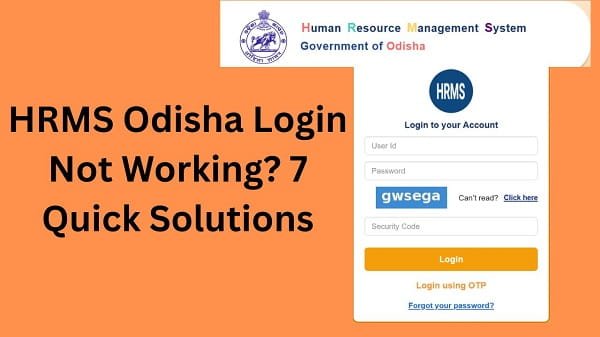
Why HRMS Odisha Login Is Not Working
Before applying any solution, you should understand the possible reasons. In most cases, login issues stem from basic mistakes or technical problems.
Common Causes:
- Incorrect username or password
- OTP issues
- Account locked
- Browser problems
- Server downtime
Therefore, identifying the cause helps you fix the issue faster.
1. Check Username and Password
First, verify your login credentials.
Why It Matters:
Even a small typing mistake can prevent login.
Solution:
- Enter the correct username
- Double-check password
- Turn off Caps Lock
As a result, you may log in successfully.
2. Reset Your Password
If you cannot remember your password, resetting it is the best option.
Solution:
- Click on Forgot Password
- Enter your HRMS ID
- Verify OTP
- Create a new password
Therefore, you can regain access quickly.
3. Fix OTP Issues
Sometimes, OTP verification may fail.
Common Problems:
- OTP not received
- OTP expired
Solution:
- Check network connection
- Wait before requesting again
- Ensure the correct mobile number
As a result, OTP verification will work properly.
4. Clear Browser Cache and Cookies
Browser issues can block login attempts.
Solution:
- Clear cache and cookies
- Restart your browser
- Try again
Alternatively, you can use another browser.
5. Check Internet Connection
A weak internet connection can cause the login to fail.
Solution:
- Use stable Wi-Fi
- Restart your router
- Avoid slow mobile data
Therefore, a strong connection ensures a smooth login.
6. Check Server Status
At times, the HRMS portal may be down due to maintenance or heavy traffic.
Signs:
- Website not loading
- The login page is not responding
Solution:
- Wait for some time
- Try during non-peak hours
As a result, you can access the portal later.
7. Unlock Your Account
Multiple failed login attempts may lock your account.
Solution:
- Wait for the lock period
- Reset your password
- Contact support if needed
Therefore, account access can be restored easily.
Quick Fix Summary
If you want a fast solution, follow these steps:
- Verify login credentials
- Reset password
- Fix OTP issues
- Clear browser cache
- Check the internet connection
- Wait for server recovery
- Unlock your account
By following these steps, you can solve most login issues quickly.
Tips to Avoid Login Problems
While fixing issues is important, prevention is better.
Helpful Tips:
- Save login details securely
- Use strong passwords
- Avoid multiple login attempts
- Keep your browser updated
As a result, you can avoid frequent login problems.
Common Mistakes You Should Avoid
Many users unknowingly create login issues.
Avoid These:
- Entering incorrect credentials
- Ignoring OTP delays
- Using outdated browsers
- Logging in during peak hours
Therefore, careful usage improves your experience.
What to Do If the Login Still Is Not Working
If the problem continues, you should take further steps.
You Can:
- Contact your department’s HR office
- Verify your account details
- Reach out to HRMS Odisha support
They can help resolve the issue quickly.
Importance of Secure Login
Login security is very important for your account.
Key Benefits:
- Protects personal data
- Prevents unauthorized access
- Ensures safe transactions
Therefore, always follow security best practices.
FAQs on HRMS Odisha Login Issues
Q1. Why is my HRMS Odisha login not working?
A: It may be due to incorrect credentials or technical issues.
Q2. What should I do if I forget my password?
A: Use the “Forgot Password” option.
Q3. Why am I not receiving OTP?
A: Check your network and mobile number.
Q4. Can server issues affect login?
A: Yes, server downtime can prevent login.
Q5. Who should I contact for help?
A: You should contact your department or HRMS support.
Conclusion
If your login is not working on the HRMS Odisha Portal, you can fix it quickly by following simple steps. First, check your credentials; then resolve any OTP or browser issues; and finally, try again after some time if the server is busy.
Moreover, understanding the causes helps you solve problems faster. In addition, following preventive tips ensures a smooth login experience.
So, whenever you face login issues, use these 7 quick solutions to access HRMS Odisha without any hassle.