 By Rahul Vats
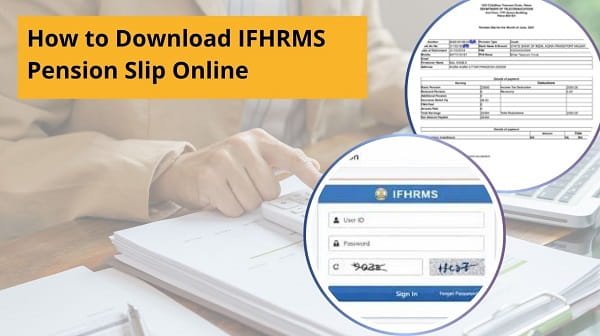
 Downloading your pension slip online makes record keeping easier and saves valuable time. The IFHRMS Tamil Nadu Portal, also known as Karuvoolam, allows eligible pensioners to access pension details, payment statements, and downloadable pension slips from anywhere. Instead of visiting offices or waiting for printed copies, users can check records digitally.
Earlier, many pensioners depended on manual statements and office visits. However, the IFHRMS system now offers a faster and more transparent method. Therefore, this guide explains how to download IFHRMS pension slip online step by step, along with common issues, quick fixes, useful tips, and FAQs. Moreover, if you follow these steps carefully, you can get your pension slip within minutes.
Why Pension Slip Is Important
Before starting the process, you should understand why pension slips matter.
Main Benefits:
- Proof of monthly pension income
- Loan or financial document support
- Personal record keeping
- Tax filing assistance
- Payment verification
Therefore, downloading pension slips regularly is a smart habit.
Who Can Download IFHRMS Pension Slip?
The portal provides pension slip access to eligible users.
Usually Eligible Users:
- Tamil Nadu Government pensioners
- Family pension beneficiaries
- Authorized users with valid login credentials
As a result, only approved users can access pension records securely.
Requirements Before Downloading Pension Slip
Before beginning, keep these details ready.
You Need:
- Pensioner User ID or login ID
- Password
- Registered mobile number (if OTP required)
- Stable internet connection
- PDF viewer on mobile or computer
In addition, use an updated browser for smoother access.
Step-by-Step Guide to Download IFHRMS Pension Slip Online
Now, let’s go through the complete process carefully.
Step 1: Visit the Official IFHRMS Portal
First of all, open your browser and visit the official IFHRMS Tamil Nadu website.
Always use the official portal. Otherwise, unofficial links may create security risks.
Step 2: Login to Your Pension Account
Next, enter your:
- User ID or Pensioner ID
- Password
- CAPTCHA if required
Then, complete OTP verification if prompted.
As a result, your dashboard will open successfully.
Step 3: Open Pension Section
After login, locate the Pension, Statement, or Slip Download section.
Usually, the option appears in the main dashboard menu. Therefore, navigate carefully.
Step 4: Select Month and Year
Now, choose the pension period you want to download.
Example:
- Month: April
- Year: 2026
As a result, the portal loads the correct pension record.
Step 5: Review Pension Details
Before downloading, check the displayed information carefully.
Verify:
- Pensioner name
- PPO or ID number
- Basic pension
- Dearness relief if shown
- Deductions if any
- Net payable amount
Therefore, reviewing details helps avoid confusion later.
Step 6: Click Download PDF
Now, click the Download, Print, or PDF button.
Then, the system generates your pension slip file.
As a result, the PDF saves on your device.
Step 7: Save the File Securely
Finally, open the downloaded file and store it safely.
Helpful Tips:
- Rename file month-wise
- Keep yearly folder
- Save backup copy
Therefore, future access becomes easier.
Common IFHRMS Pension Slip Problems and Fixes
Although the process is simple, users sometimes face issues. However, most problems are easy to solve.
1. Pension Slip Not Showing
Fix:
- Select correct month and year
- Refresh page
- Wait for payment update
2. Login Not Working
Fix:
- Recheck password
- Reset password if needed
- Clear browser cache
3. PDF Not Downloading
Fix:
- Check internet connection
- Disable pop-up blocker
- Try another browser
4. Blank PDF File
Fix:
- Download again
- Update PDF reader
- Use desktop browser
5. OTP Not Received
Fix:
- Check mobile network
- Wait briefly
- Resend OTP once
Quick Download Method (Best Order)
If you need fast access, follow this order:
- Login
- Open pension section
- Choose month
- Review details
- Download PDF
- Save file securely
Therefore, the process finishes quickly.
Tips for Smooth Pension Slip Access
If you use the portal regularly, follow these habits.
Helpful Tips:
- Download slips monthly
- Use updated browser
- Keep login details secure
- Use stable internet
- Maintain organized folders
- Check payment details regularly
As a result, pension record management becomes easier.
Common Mistakes Users Should Avoid
Many users create avoidable problems.
Avoid These Errors:
- Selecting wrong month
- Using unofficial website links
- Forgetting to save file
- Ignoring deduction details
- Sharing login credentials
- Using unstable internet
Therefore, careful usage protects records.
Why Monthly Pension Slip Review Matters
Regular review offers practical benefits.
Important Uses:
- Confirm pension credit
- Detect deduction errors
- Maintain income proof
- Track revisions
- Keep tax records ready
As a result, monthly checking is highly useful.
What If Old Pension Slips Are Needed?
Sometimes, users need previous records.
Solution:
- Select earlier month and year
- Download slips one by one
- Save yearly archive folder
Therefore, old statements stay organized.
When to Contact Support
If nothing works, seek official help.
Contact Support If:
- Several months missing
- Correct login shows no records
- Portal errors continue
- Wrong payment details appear repeatedly
Therefore, official teams can verify account-level issues.
Conclusion
Downloading your IFHRMS pension slip online is simple when you follow the correct steps. First, log in securely, then open the pension section, choose the required month, and download the PDF safely.
Moreover, by understanding common issues and their fixes, you can avoid delays easily. In addition, monthly downloads help maintain organized pension records and income proof.
So, whenever you need pension details, use this complete guide and download your IFHRMS pension slip quickly and safely.
FAQs on IFHRMS Pension Slip Download
Q: Can I download IFHRMS pension slip online?
Yes, after logging in to your account.
Q: Is pension slip available in PDF?
Yes, usually downloadable as PDF.
Q: What if slip is missing?
Check month selection or wait for update.
Q: Can I use mobile phone?
Yes, through a mobile browser.
Q: Is pension slip useful as income proof?
Yes, in many situations.