 By Rahul Vats
 Trying to access the IFHRMS Tamil Nadu Portal and finding that the website won’t open can be frustrating, especially when you need urgent access to payslips, pension details, or employee services. Many users encounter this problem due to internet issues, browser errors, heavy traffic, or temporary server downtime. However, the good news is that most website access problems are easy to solve.
Earlier, users often waited in the dark, not knowing what caused the issue. Now, you can troubleshoot many problems yourself within minutes. Therefore, this guide explains why the IFHRMS Tamil Nadu website is not opening, provides quick fixes that work, offers prevention tips, highlights common mistakes, and addresses FAQs. Moreover, if you follow these solutions carefully, you can quickly restore access.
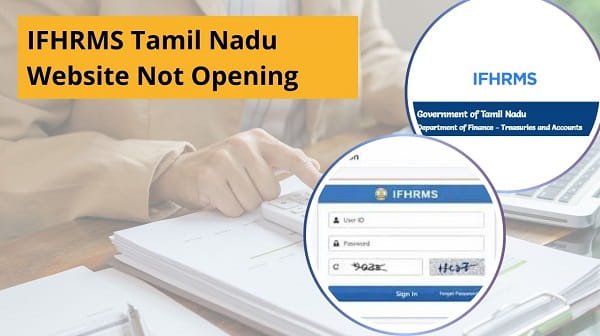
Why the IFHRMS Website May Not Open
Before applying fixes, you should understand the common reasons.
Main Reasons:
- Weak internet connection
- Browser cache problems
- Wrong website link
- Temporary server maintenance
- Heavy traffic on the portal
- DNS or network issue
- Device-related problem
As a result, identifying the real cause helps you solve it faster.
1. Check Internet Connection First
First, verify your internet connection.
A slow or unstable network often prevents websites from fully loading. Consequently, the IFHRMS portal may appear blank or keep loading.
Quick Fix:
- Restart the Wi-Fi router
- Switch to mobile data
- Move to a better signal area
- Retry after reconnecting
Therefore, a stable internet often solves the issue immediately.
2. Use the Correct Official Website Link
Sometimes users try to use outdated or incorrect links.
Quick Fix:
- Use the official IFHRMS Tamil Nadu portal
- Avoid saved broken links
- Type the address carefully
As a result, correct navigation restores access quickly.
3. Refresh the Page
Temporary glitches may interrupt loading.
Quick Fix:
- Press the refresh button
- Reload the page once or twice
- Close and reopen the browser tab
Therefore, a simple refresh often works.
4. Clear Browser Cache and Cookies
Old browser data may prevent updated website files from loading.
Quick Fix:
- Open browser settings
- Clear cache and cookies
- Restart browser
- Open IFHRMS again
As a result, corrupted data no longer causes loading issues.
5. Try Another Browser
Sometimes, a single browser can cause compatibility problems.
Better Options:
- Use Chrome
- Use Edge
- Use Firefox
- Try a mobile browser
Therefore, switching browsers often fixes access issues fast.
6. Check IFHRMS Server Status
At times, the problem may come from the portal itself.
Signs:
- The website is slow for many users
- The login page is not loading
- Repeated timeout errors
Quick Fix:
- Wait some time
- Retry later
- Use non-peak hours
As a result, server-side issues usually resolve automatically.
7. Restart Your Device
Sometimes, device memory or network settings create problems.
Quick Fix:
- Restart the computer or mobile device
- Reconnect internet
- Retry browser access
Therefore, a fresh restart may restore website loading.
8. Disable VPN or Proxy
Some networks or VPN settings may interrupt access.
Quick Fix:
- Turn off VPN temporarily
- Disable proxy settings
- Retry website
As a result, a direct connection may work better.
Quick Fix Order (Best Method)
If the website is not opening, follow this order:
- Check internet
- Use the correct link
- Refresh page
- Clear cache
- Change browser
- Wait for server recovery
- Restart device
- Disable VPN
Therefore, this sequence solves most issues quickly.
Common Mistakes Users Should Avoid
Many users unknowingly make the issue worse.
Avoid These Errors:
- Using unofficial website links
- Refreshing endlessly without checking the internet
- Ignoring browser updates
- Assuming permanent server failure
- Using an overloaded public Wi-Fi
- Opening too many tabs
As a result, avoiding these mistakes saves time.
Tips for Smooth IFHRMS Website Access
If you use the portal regularly, follow these habits.
Helpful Tips:
- Save the official link as a bookmark
- Use an updated browser version
- Keep the internet stable
- Clear cache monthly
- Access during normal hours
- Use a secure personal device
Therefore, future access becomes easier.
Why Quick Website Access Matters
Fast website access helps users complete important tasks on time.
Important Uses:
- Download payslips
- Check pension records
- View salary details
- Update employee information
- Complete official requests
As a result, quickly resolving website issues is important.
What if the website opens on a mobile but not on a computer?
Sometimes, device-specific problems occur.
Solution:
- Clear desktop browser cache
- Update browser
- Check firewall settings
- Restart computer
Therefore, device troubleshooting can solve the issue.
When to Contact Support
If nothing works, seek official help.
Contact Support If:
- The website has been down for many days
- The login page never loads
- Only IFHRMS fails while other sites work
- Error messages appear repeatedly
Therefore, official teams can inspect technical issues.
Conclusion
If the IFHRMS Tamil Nadu website is not opening, you can solve the issue quickly by following the right steps. First, check your internet connection, then use the official link, clear browser issues, and retry. After that, if the portal still fails, wait for server recovery or switch to another device.
Moreover, by avoiding common mistakes and following preventive tips, you can reduce future access problems. In addition, smooth portal access helps you complete important tasks without delay.
Whenever IFHRMS stops opening, use these quick fixes to restore access easily.
FAQs
Q: Why is the IFHRMS website not opening?
A: Usually because of internet, browser, or server issues.
Q: Can a cache block website loading?
A: Yes, old cache often creates problems.
Q: Should I try another browser?
A: Yes, it often works quickly.
Q: Can server traffic affect access?
A: Yes, heavy traffic may slow the portal.
Q: What if the mobile works but the laptop does not?
A: Check browser or device settings.