 By Rahul Vats
 Facing issues while opening the HRMS Bihar Portal can feel frustrating, especially when you need urgent access to salary slips, leave details, or important updates. Many users encounter this problem, and often the website fails to load or displays errors.
However, you don’t need to panic. In most cases, you can fix this issue within minutes by following the right steps. Therefore, this guide explains why the HRMS Bihar website is not opening and how to fix it quickly, along with practical tips to avoid such issues in the future.
Why the HRMS Bihar Website Is Not Opening
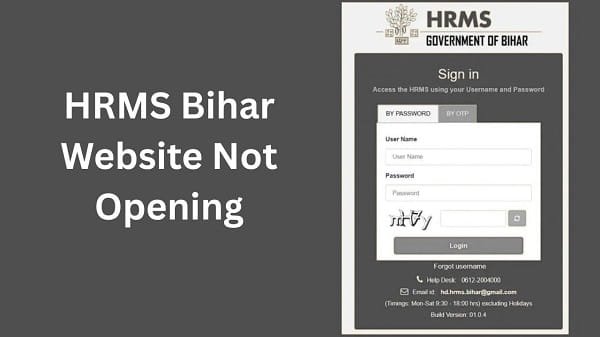
Before you jump into solutions, you should understand the possible causes. In most situations, the issue occurs due to simple technical reasons.
Common Causes:
- Poor or unstable internet connection
- Server downtime or maintenance
- Browser cache and cookies issues
- Device-related problems
- Incorrect website URL
Therefore, identifying the cause helps you fix the issue quickly.
1. Check Your Internet Connection
First, check your internet connection. A weak or unstable connection often prevents the website from loading.
What You Should Do:
- Switch to a stable Wi-Fi network
- Restart your router
- Avoid slow mobile data connections
As a result, you improve loading speed and access.
2. Verify the Website URL
Sometimes users enter the wrong URL, which results in errors.
Solution:
- Ensure you type the correct official website address
- Avoid clicking on unknown or unofficial links
Therefore, always access the portal from a trusted source.
3. Refresh the Page or Try Again
Temporary glitches can cause the website to stop loading.
Quick Fix:
- Refresh the page
- Wait for a few seconds
- Try opening the website again
In many cases, this simple step resolves the issue instantly.
4. Clear Browser Cache and Cookies. Cached and stored cookies can interfere with website performance. Therefore, clearing them often fixes loading problems.
Steps:
- Open browser settings
- Clear cache and cookies
- Restart the browser
After that, try accessing the website again.
5. Use a Different Browser
If the problem persists, switch to a different browser.
You Can Try:
- Google Chrome
- Mozilla Firefox
- Microsoft Edge
Different browsers handle websites differently. Therefore, switching can fix compatibility issues.
6. Try Another Device
Sometimes, the issue is related to your device.
Solution:
- Use another mobile or computer
- Update your device software
As a result, you eliminate device-related problems.
7. Check HRMS Bihar Server Status
At times, the issue is not on your side. Instead, the HRMS Bihar server may experience heavy traffic or maintenance. issues
Signs of Server Issues:
- Website not loading at all
- Error messages like “Server Busy.”
- Multiple users are facing the same problem
In such cases, you should wait and try again later.
8. Disable VPN or Proxy
If you use a VPN or proxy, it may block access to the website.
Solution:
- Turn off VPN services
- Disable proxy settings
Then, try opening the website again.
9. Restart Your Device
Although it seems simple, restarting your device can fix many temporary issues.
Steps:
- Turn off your device
- Wait for a few seconds
- Turn it back on
After that, open the website again.
10. Check Firewall or Security Settings
Sometimes, security settings block access to certain websites.
Solution:
- Turn off strict firewall settings temporarily
- Check antivirus restrictions
However, always ensure your device remains secure.
Quick Fix Summary (Solve in Minutes)
If you want a fast solution, follow these steps:
- Check the internet connection
- Verify website URL
- Refresh page
- Clear browser cache
- Try another browser or device
By following these steps, you can resolve most issues quickly.
Tips to Avoid Website Issues in the Future
While fixing the issue is important, prevention is even better. Therefore, follow these tips:
- Use a stable internet connection
- Keep your browser updated
- Avoid accessing during peak hours
- Use trusted devices
As a result, you can avoid frequent problems.
What to Do If the Website Still Isn’t Opening
If the issue continues, you should take further steps.
You Can:
- Wait for server issues to resolve
- Contact your department
- Reach out to HRMS Bihar support
They can provide updates or solutions.
Conclusion
If the HRMS Bihar Portal is not opening, you can quickly fix the issue by following these simple steps. First, check your internet connection and verify the website URL. Then, clear your browser cache, switch devices, or wait for server issues to resolve.
Moreover, understanding the root cause helps you solve the problem faster. In addition, following preventive tips ensures a smooth experience in the future.
Whenever the HRMS Bihar website doesn’t open, use this guide to fix the issue quickly and continue your work without delay.
FAQs on HRMS Bihar Website Issues
Q1. Why is HRMS Bihar not opening?
A: It may not open due to internet issues, server downtime, or browser problems.
Q2. How can I fix loading problems?
A: Check your connection, clear cache, and try another browser.
Q3. Is the issue always from my side?
A: No, sometimes server issues cause the problem.
Q4. Can I use a mobile to access HRMS Bihar?
A: Yes, you can use a mobile browser.
Q5. When should I contact support?
A: If the issue continues for a long time, contact your department or support.