 By Rahul Vats
 Facing issues while checking your salary slip on the HRMS Bihar Portal can feel frustrating, especially when you need it urgently for loans, verification, or personal records. Many employees encounter this problem, and often, the salary slip does not appear even after logging in correctly.
However, you don’t need to panic. In most cases, you can fix this issue within minutes by following the right steps. Therefore, this guide will help you understand why your HRMS Bihar salary slip is not being displayed and how to fix it in just 5 minutes, along with useful tips to avoid future issues.
Why HRMS Bihar Salary Slip Is Not Showing
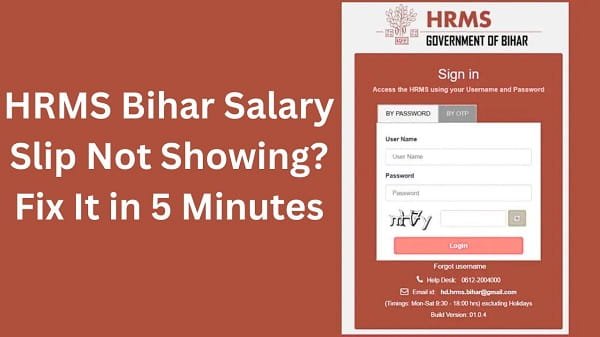
Before jumping into solutions, you should understand the possible reasons behind this issue. In most situations, the problem stems from simple factors.
Common Causes:
- Salary not processed yet
- Incorrect month or year selection
- Server delay or heavy traffic
- Browser-related issues
- Account or data sync problems
Therefore, identifying the cause helps you fix the issue quickly.
1. Check If Salary Has Been Processed
First, confirm whether your salary has been processed for that month. Sometimes, the slip does not appear because the system has not generated it yet.
What You Should Do:
- Wait for official salary processing
- Check with your department
If the salary is still under process, the slip will appear automatically later.
2. Select the correct month and year
Next, ensure you select the correct month and year when searching for your salary slip.
Common Mistake:
Many users choose the wrong period, and as a result, no data appears.
Solution:
- Double-check the month and year
- Try selecting previous months
In many cases, this simple step resolves the issue instantly.
3. Refresh the Page or Log In Again
Sometimes, temporary glitches prevent the salary slip from loading.
Quick Fix:
- Refresh the page
- Log out and log in again
This helps reload the system and display updated data.
4. Clear Browser Cache and Cookies
Cached and stored cookies can interfere with portal performance. Therefore, clearing them can solve many display issues.
Steps:
- Open browser settings
- Clear cache and cookies
- Restart the browser
After that, log in again and check your salary slip.
5. Use a Different Browser or Device
If the problem persists, switch to a different browser or device.
You Can:
- Try Chrome, Edge, or Firefox
- Use a different mobile or computer
- Update your browser
As a result, you can avoid compatibility issues.
6. Check Internet Connection
A slow or unstable internet connection may prevent the salary slip from loading properly.
What You Should Do:
- Use a stable Wi-Fi connection
- Restart your router
- Avoid weak networks
A good connection ensures smooth access to the portal.
7. Check for Server Issues
At times, the issue may come from the HRMS Bihar server itself. Heavy traffic or maintenance can delay data loading.
Signs:
- Website loading slowly
- Multiple features are not working
- Other users are facing the same issue
In such cases, you should wait and try again later.
8. Enable Pop-Ups in Browser
Sometimes, salary slips open in a new window. If pop-ups are blocked, the slip may not appear.
Solution:
- Enable pop-ups in browser settings
- Reload the page
After that, try downloading the slip again.
9. Contact Your Department
If none of the fixes work, you should contact your department.
When to Contact:
- Salary processed, but the slip is not visible
- Data mismatch issues
- Account-related problems
Your department can verify and update your records.
Quick 5-Minute Fix Summary
If you want a fast solution, follow these steps in order:
- Check salary processing status
- Select the correct month and year
- Refresh the page or log in again
- Clear browser cache
- Try a different browser
By following these steps, you can resolve most issues quickly.
Tips to Avoid Salary Slip Issues in the Future
While fixing the issue is important, preventing it is even better. Therefore, follow these tips:
- Check salary after the official processing date
- Use updated browsers
- Maintain a stable internet connection
- Avoid peak hours
- Keep login details secure
As a result, you can avoid unnecessary problems.
Conclusion
If your salary slip is not showing on the HRMS Bihar Portal, you can fix the issue quickly by following the right steps. First, check whether your salary has been processed. Then, select the correct month, refresh the page, and clear your browser cache.
Moreover, switching browsers and checking your internet connection can also solve the problem. In addition, understanding server-related issues helps you stay patient when needed.
Instead of worrying, follow this guide to fix your HRMS Bihar salary slip issue in minutes.
FAQs on HRMS Bihar Salary Slip Issues
Q1. Why is my salary slip not showing?
A: It may not show due to unprocessed salary, wrong selection, or technical issues.
Q2. How long does it take for a salary slip to appear?
A: It usually appears after salary processing is completed.
Q3. Can browser issues affect the display of the salary slip?
A: Yes, cache and compatibility issues can prevent proper display.
Q4. What should I do if the slip is still missing?
A: Contact your department for assistance.
Q5. Can I check the salary slip on mobile?
A: Yes, you can access it using a mobile browser.