 By Rahul Vats
 Keeping your personal information accurate on the HRMS Odisha Portal is very important. Your profile contains essential details, including your name, date of birth, contact information, and service data. If any of this information is incorrect or outdated, it may cause problems in salary processing, leave approval, or official records.
However, many employees feel confused about how to update or change these details. Therefore, this guide explains how to change personal details in HRMS Odisha step by step, including requirements, common issues, and useful tips. Moreover, you will learn how to ensure your updates get approved without delays.
Why Updating Personal Details is Important
Before you begin, it is important to understand why updating your personal information matters.
Key Reasons:
- Ensures accurate salary and service records
- Helps avoid errors in official documents
- Required for verification and compliance
- Improves communication and notifications
Therefore, keeping your profile updated helps you avoid future issues.
What Personal Details Can You Change?
HRMS Odisha allows you to update certain personal details directly, while others may require approval.
Common Editable Details:
- Mobile number
- Email ID
- Address
- Emergency contact details
Details That May Require Approval:
- Name correction
- Date of birth
- Service-related information
Therefore, some updates may involve verification from your department.
Requirements Before Updating Personal Details
Before starting the process, make sure you have the necessary details ready.
You Need:
- HRMS ID or Username
- Password
- Supporting documents (if required)
- Stable internet connection
In addition, ensure your information matches official records.
Step-by-Step Guide to Change Personal Details in HRMS Odisha
Now, let’s go through the complete process. Follow each step carefully.
Step 1: Visit the Official HRMS Odisha Portal
First, open your browser and visit the official HRMS Odisha website.
Always use the correct portal to avoid security risks. Once the homepage loads, go to the login section.
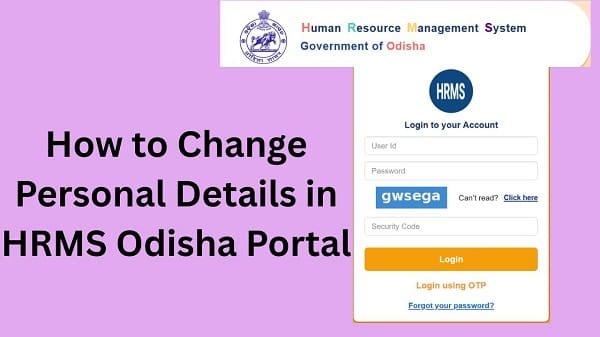
Step 2: Log In to Your Account
Next, enter your login details:
- HRMS ID or Username
- Password
After that, complete OTP verification if required. Then, click on the Login button.
If your details are correct, you will be redirected to your dashboard.
Step 3: Navigate to Profile Section
After logging in, go to your Profile or Personal Details section.
This section contains all your personal and contact information.
Step 4: Click on Edit or Update Option
Now, click on the Edit or Update Details button.
This option lets you update your information.
Step 5: Update Required Details
Next, update the details you want to change.
Important Tips:
- Enter correct and accurate information
- Double-check spelling and numbers
- Ensure consistency with official documents
Even small errors can cause rejection.
Step 6: Upload Supporting Documents (If Required)
For certain changes, you may need to upload documents.
Examples:
- Aadhaar card for name correction
- Address proof for address update
Therefore, always upload valid documents.
Step 7: Submit Request
After updating details, click on the Submit button.
Once you submit:
- Your request gets recorded
- It may go for approval
As a result, your update process begins.
Step 8: Track Update Status
After submission, you can track the status of your request.
Status Options:
- Pending
- Approved
- Rejected
Therefore, you can stay informed about your request.
What Happens After Updating Details?
Once your request is approved:
- Your details get updated in the system
- Your records reflect new information
- You can use updated data for services
As a result, your profile remains accurate.
Common Issues While Updating Details (And Fixes)
Although the process is simple, users sometimes face problems. However, you can easily fix them.
1. Update Option Not Visible
Solution:
- Check the profile section carefully
- Verify account permissions
- Contact your department
2. Request Rejected
Solution:
- Check the reason for rejection
- Correct details
- Upload proper documents
3. Changes Not Saving
Solution:
- Refresh the page
- Check the internet connection
- Try another browser
4. Incorrect Details Submitted
Solution:
- Submit a correction request again
- Contact your department
Tips for Smooth Update Process
To avoid issues, follow these simple tips.
Helpful Tips:
- Verify details before submission
- Use official documents
- Avoid multiple requests
- Keep track of the status
As a result, your updates get approved faster.
Security Tips You Should Follow
Updating personal details involves sensitive information.
Important Tips:
- Do not share login credentials
- Use secure devices
- Log out after updating details
- Avoid public networks
Therefore, your account remains protected.
What to Do If You Cannot Update Details
If you still face issues, you should take further steps.
You Can:
- Contact your department’s HR office
- Verify your documents
- Reach out to HRMS Odisha support
They can help resolve the issue quickly.
Conclusion
Updating your personal details on the HRMS Odisha Portal is simple when you follow the correct steps. First, log in to your account, then navigate to your profile, update the required information, and submit your request.
Moreover, by understanding common issues and following best practices, you can avoid delays. In addition, keeping your details accurate ensures smooth access to all HRMS services.
FAQs
Q1. Can I update my personal details online?
A: Yes, you can update certain details through the portal.
Q2. Do all updates require approval?
A: No, only specific changes require approval.
Q3. What documents are required?
A: It depends on the type of update.
Q4. How long does approval take?
A: It depends on your department.
Q5. What if my request is rejected?
A: You can correct and submit again.