 By Rahul Vats
 Getting started on the HRMS Odisha Portal is essential for every new government employee. Without proper registration or account activation, you cannot access important services such as salary details, leave applications, or your e-Service Book. However, many new users often feel confused about the registration process because HRMS Odisha does not follow a typical signup method.
Therefore, this guide explains how to register on HRMS Odisha step by step, along with requirements, common issues, security tips, and best practices. Moreover, you will clearly understand how account activation works and how to avoid common mistakes.
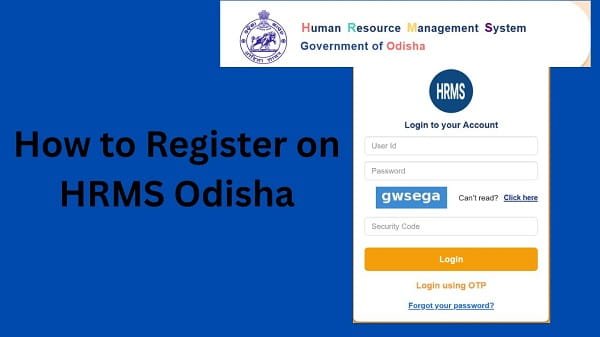
Understanding HRMS Odisha Registration
Before you begin, you should understand how HRMS Odisha registration actually works. Unlike regular websites, HRMS Odisha does not allow open public registration. Instead, your department first enters your details into the system.
After that, you complete the account activation process through the password setup system.
Therefore, registration in HRMS Odisha mainly means:
- Activating your account
- Setting your login credentials
- Verifying your identity
As a result, only authorized employees can access the system.
Who Can Register on HRMS Odisha?
Not everyone can use this portal. Only eligible users can complete registration.
Eligible Users:
- Odisha government employees
- Newly appointed staff
- Department-verified personnel
Therefore, you must have valid official records before starting the process.
Requirements Before Registration
Before you begin, make sure you have all the required details ready. Otherwise, the process may fail.
You Need:
- HRMS ID or Employee ID
- Registered mobile number
- Date of birth
- Department details
- Stable internet connection
In addition, ensure your mobile number is active because OTP verification is required.
Step-by-Step Guide to Register on HRMS Odisha
Now, let’s go through the complete process. Follow each step carefully for a smooth experience.
Step 1: Visit the Official HRMS Odisha Portal
First, open your browser and visit the official HRMS Odisha website.
Always use the correct portal to avoid security risks. Once the homepage loads, locate the login section.
Step 2: Click on “Forgot Password / Activate Account”
Unlike most platforms, HRMS Odisha uses the Forgot Password option for new user activation.
What You Should Do:
- Click on Forgot Password
- Enter your HRMS ID
This step starts the registration process.
Step 3: Enter Required Details
Next, provide your personal details.
Required Information:
- HRMS ID or Username
- Date of birth
- Registered mobile number
Make sure all details match official records. Otherwise, verification may fail.
Step 4: Verify OTP
After submitting details, you will receive an OTP on your registered mobile number.
Important Tips:
- Enter OTP correctly
- Wait if there is a delay
- Avoid multiple OTP requests
As a result, your identity is successfully verified.
Step 5: Create New Password
Once verification completes, you need to set your password.
Password Tips:
- Use a strong password
- Include letters, numbers, and symbols
- Avoid simple combinations
Therefore, your account remains secure.
Step 6: Confirm and Complete Registration
Finally, confirm your details and submit the form.
After completion:
- Your account becomes active
- You can log in using your credentials
As a result, you gain full access to HRMS Odisha services.
What to Do After Registration
After activating your account, you should take a few additional steps.
Recommended Actions:
- Log in to your account
- Check your profile details
- Update missing information
- Explore dashboard features
Therefore, you can start using the portal effectively.
Common Issues During Registration (And Fixes)
Although the process is simple, users may face some issues. However, you can easily fix them.
1. OTP Not Received
Solution:
- Check network connection
- Ensure the correct mobile number
- Wait before requesting again
2. Incorrect Details Error
Solution:
- Recheck HRMS ID
- Verify date of birth
- Contact your department
3. Password Not Accepted
Solution:
- Follow password rules
- Use a strong combination
4. Page Not Loading
Solution:
- Clear browser cache
- Try another browser
- Check the internet connection
Tips for Smooth Registration
To avoid problems, follow these simple tips.
Helpful Tips:
- Enter details carefully
- Keep mobile ready for OTP
- Use a stable internet connection
- Avoid rushing the process
As a result, your registration becomes quick and hassle-free.
Security Tips for New Users
After registration, protecting your account is very important.
Important Tips:
- Never share your password
- Change your password regularly
- Avoid public devices
- Always log out after use
Therefore, your account stays safe and secure.
What to Do If You Cannot Register
If you still face issues, you should take further steps.
You Can:
- Contact your department’s HR office
- Verify your employee details
- Reach out to HRMS Odisha support
They can help resolve the issue quickly.
FAQs on HRMS Odisha Registration
Q1. Can I register directly on the HRMS Odisha portal?
A: No, your department must first add your details.
Q2. What is HRMS ID?
A: It is your unique employee identification number.
Q3. Why is OTP required?
A: OTP verifies your identity during registration.
Q4. Can I register using a mobile?
A: Yes, you can use a mobile browser.
Q5. What should I do if registration fails?
A: Contact your department or HRMS support.
Conclusion
Registering on the HRMS Odisha Portal is simple when you understand the process correctly. First, activate your account, then verify your identity with an OTP, and finally set your password.
Moreover, by following the correct steps and avoiding common mistakes, you can complete registration quickly. In addition, following proper security practices ensures safe, smooth access.
So, if you are a new employee, use this guide to activate your HRMS Odisha account and start using its services without confusion.