 By Rahul Vats
 Registering on the HRMS Bihar Portal is the first step toward accessing salary details, leave services, and employee records online. However, many users are confused during registration because they are unsure which documents are required.
Therefore, preparing the correct documents in advance becomes very important. In this guide, you will learn all the required documents for HRMS Bihar registration, along with tips, common mistakes, and how to ensure a smooth registration process.
Why Documents Are Important for Registration
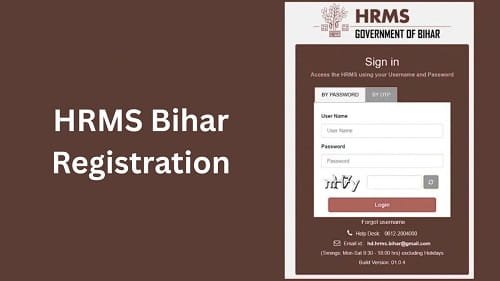
Before you start, you should understand why documents matter. HRMS Bihar verifies employee identity and service details through official records. Without proper documents, the system cannot confirm your eligibility.
Key Reasons:
- Identity verification
- Employment confirmation
- Data accuracy
- Security purposes
Therefore, accurate documents ensure successful registration.
Basic Documents Required for HRMS Bihar Registration
Now, let’s look at the essential documents you need. These documents help verify your identity and employment details.
1. Employee ID
The Employee ID is the most important requirement.
Why It Matters:
- It identifies you as a government employee
- It links your data to the HRMS system
Tip:
Always enter your Employee ID correctly during registration.
2. Aadhaar Card
Your Aadhaar card serves as a primary identity proof.
Uses:
- Identity verification
- Matching personal details
Important:
Ensure your Aadhaar details match your official records.
3. Registered Mobile Number
A mobile number is required for OTP verification.
Why It Is Needed:
- OTP authentication
- Account security
- Communication
Therefore, always use an active and accessible mobile number.
4. Email ID (If Required)
Some departments may require an email ID.
Benefits:
- Receive notifications
- Get updates and alerts
Although optional in some cases, having an email ID is helpful.
5. Date of Birth Proof
The system may require your date of birth for verification.
Accepted Proofs:
- Aadhaar card
- Service records
Make sure the details match official records.
6. Department Details
Your department information is essential for registration.
Includes:
- Department name
- Office details
- Designation
Therefore, correct department details ensure proper account setup.
7. Service Details
Service-related information may also be required.
Includes:
- Date of joining
- Job role
- Posting details
These details help create your digital service profile.
Additional Documents (If Required)
In some cases, additional documents may be required.
Optional Documents:
- PAN card
- Bank account details
- Appointment letter
- Service certificate
Although not always mandatory, these documents may be useful.
Step-by-Step Document Preparation Guide
To avoid delays, you should properly prepare your document.
Steps:
- Collect all required documents
- Verify details for accuracy
- Keep digital copies ready (if needed)
- Ensure mobile number is active
As a result, your registration process becomes smooth.
Common Mistakes to Avoid
Many users face issues due to simple mistakes.
Avoid These Errors:
- Entering incorrect Employee ID
- Using an unregistered mobile number
- Mismatch in Aadhaar details
- Providing incomplete information
Therefore, double-check all details before submission.
Tips for Smooth Registration
To ensure a hassle-free experience, follow these tips.
Helpful Tips:
- Keep documents ready before starting
- Use official and accurate information
- Avoid rushing the process
- Use a stable internet connection
As a result, you can complete registration quickly.
What Happens After Document Verification
Once you submit your details, the system verifies your documents.
After Verification:
- Your account gets activated
- You receive login credentials
- You can access portal services
Therefore, proper documentation ensures quick approval.
What to Do If Documents Are Not Accepted
If your documents are not accepted, you should take action.
You Can:
- Recheck and correct details
- Upload valid documents
- Contact your department
In such cases, official support can help resolve the issue.
Importance of Accurate Documents
Using accurate documents is very important.
Benefits:
- Faster registration
- Fewer errors
- Smooth account activation
Therefore, always provide correct and updated information.
Conclusion
Preparing the required documents for registration on the HRMS Bihar Portal is essential for a smooth, successful process. From Employee ID to Aadhaar and mobile number, each document plays an important role in verification.
Moreover, by avoiding common mistakes and following best practices, you can complete registration without delays. In addition, accurate documentation ensures secure and hassle-free access to HRMS services.
Therefore, before starting your registration, make sure you have all required documents ready and verified.
FAQs on HRMS Bihar Registration Documents
Q1. What documents are required for HRMS Bihar registration?
A: You need Employee ID, Aadhaar card, mobile number, and department details.
Q2. Is Aadhaar mandatory?
A: Yes, it is usually required for identity verification.
Q3. Can I register without Employee ID?
A: No, Employee ID is essential.
Q4. What if my mobile number is not registered?
A: You should update it through your department.
Q5. Are additional documents required?
A: Sometimes, depending on department requirements.