 By Rahul Vats
 Not receiving the OTP while trying to log in to the IFHRMS Tamil Nadu Portal can be frustrating, especially when you need quick access to salary slips, pension records, or employee services. Usually, OTP verification protects your account and confirms your identity. However, when the code does not arrive, the login process stops immediately.
Earlier, many users waited helplessly or tried repeated requests without knowing the real cause. Now, you can solve most OTP problems within minutes if you follow the right steps. Therefore, this guide explains why IFHRMS OTP is not received and the real solutions that work, along with prevention tips, common mistakes, and FAQs. Moreover, if you apply these methods carefully, you can complete the login quickly.
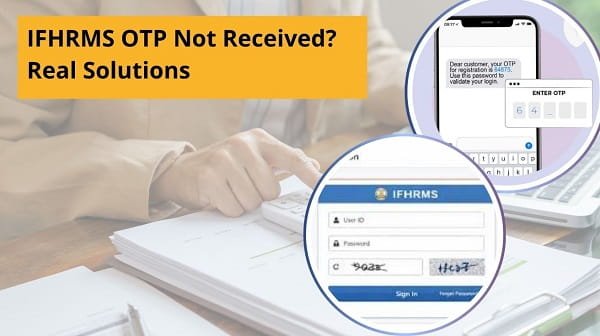
Why IFHRMS Uses OTP Verification
Before solving the issue, you should understand why OTP matters.
Main Benefits:
- Confirms user identity
- Protects account security
- Prevents unauthorized login
- Adds an extra verification layer
Therefore, OTP plays an important role in safe account access.
Why IFHRMS OTP Is Not Received
Several reasons can delay or block OTP delivery. However, most causes are easy to fix.
Main Reasons:
- Weak mobile network
- DND service enabled
- Registered mobile number changed
- SMS inbox full
- Temporary server delay
- Too many OTP requests
- Phone switched off or airplane mode on
As a result, identifying the cause helps you choose the right solution faster.
1. Check Mobile Network Signal
First, verify your mobile signal strength.
A weak network often delays OTP messages. Consequently, the SMS may arrive late or fail to arrive at all.
Quick Fix:
- Move to a better signal area
- Switch from indoor to outdoor space
- Restart mobile data or network
Therefore, a better signal often solves the issue quickly.
2. Wait for 1–2 Minutes
Sometimes, OTPs arrive late due to network traffic or server load.
Quick Fix:
- Wait calmly for 60–120 seconds
- Do not request OTP repeatedly immediately
As a result, delayed messages often arrive shortly after.
3. Tap Resend OTP Once
If no OTP arrives after waiting, request a fresh one.
Important Tip:
Request OTP only once or twice. Otherwise, too many requests may create confusion.
Quick Fix:
- Click resend OTP
- Wait again patiently
- Use the latest OTP received
Therefore, controlled retries work better than repeated clicks.
4. Check Registered Mobile Number
Sometimes users forget that OTPs are sent only to the registered number.
Quick Fix:
- Confirm the active SIM is inserted
- Check if the number has changed recently
- Contact the admin if the old number remains linked
As a result, correct registration ensures message delivery.
5. Disable DND or SMS Blocking
Do Not Disturb settings or spam filters may block OTP messages.
Quick Fix:
- Turn off DND temporarily
- Check the blocked sender list
- Open the spam or filtered SMS folder
Therefore, your device stops hiding verification messages.
6. Clear SMS Inbox Storage
A full message inbox can prevent new SMS delivery on some phones.
Quick Fix:
- Delete old messages
- Remove unnecessary OTP texts
- Restart phone after cleanup
As a result, new OTP messages can arrive normally.
7. Restart Your Mobile Phone
Sometimes, the phone network session gets stuck.
Quick Fix:
- Restart device
- Reconnect network
- Retry OTP request
Therefore, a simple restart often refreshes message delivery.
8. Check IFHRMS Server Delay
At busy times, the portal may process OTP requests slowly.
Signs:
- Website slow
- Multiple users are reporting delays
- OTP arrives much later
Quick Fix:
- Try again after some time
- Use non-peak hours
As a result, server-side delays often resolve automatically.
Quick Fix Order (Best Method)
If OTP is not received, try this order:
- Check signal
- Wait two minutes
- Resend OTP once
- Verify the registered number
- Disable DND
- Clear inbox
- Restart phone
- Retry later
Therefore, this sequence solves most OTP issues quickly.
Common Mistakes Users Should Avoid
Many users worsen the problem unknowingly.
Avoid These Errors:
- Clicking resend repeatedly
- Entering expired OTP
- Using an old mobile number
- Ignoring the network signal
- Keeping airplane mode on
- Deleting unread OTP instantly
As a result, avoiding these mistakes saves time.
Tips for Smooth OTP Delivery
If you want a regular, trouble-free login, follow these habits.
Helpful Tips:
- Keep the registered number active
- Maintain network signal
- Update mobile software
- Keep the SMS inbox clean
- Avoid peak login hours
- Use one OTP request at a time
Therefore, prevention improves future access.
What to Do If OTP Still Does Not Come
If none of the fixes work, take the next step.
You Can:
- Contact department administrator
- Update mobile number if changed
- Use official support channels
- Retry later during low traffic hours
Therefore, account-specific issues can be resolved faster.
Why Fast OTP Access Matters
Quick OTP delivery helps users complete urgent portal tasks.
Important Uses:
- Download payslips
- Check salary records
- Access pension services
- Update profile details
- Complete official requests
As a result, OTP problems should be solved quickly.
Conclusion
If you don’t receive your IFHRMS OTP, you can resolve the issue quickly by following the right steps. First, check your network, then wait briefly, resend OTP carefully, and confirm your registered mobile number. After that, if messages still fail, restart your phone or retry later.
Moreover, by avoiding common mistakes and following preventive tips, you can reduce future OTP delays. In addition, keeping your number active ensures smoother access.
So, whenever OTP does not arrive, use these real solutions and log in to IFHRMS without unnecessary stress.
FAQs on IFHRMS OTP Not Received
Q: Why is IFHRMS OTP delayed?
Usually, it is due to a weak network or server load.
Q: How many times should I resend OTP?
Only once or twice.
Q: Can DND block OTP?
Yes, sometimes it can delay messages.
Q: What if my number changed?
Update your registered mobile number.
Q: Can I log in without OTP?
Only if the portal does not require it for that session.