 By Rahul Vats
 Using the IFHRMS Tamil Nadu Portal makes salary, pension, and employee services easier. However, users sometimes face technical problems that interrupt important work. These issues may appear during login, payslip download, OTP verification, or page loading. Fortunately, most errors are common and easy to fix.
Earlier, many users depended on office support for every portal problem. Now, you can solve many issues yourself with the right steps. Therefore, this guide explains common IFHRMS errors and how to solve them, along with prevention tips, quick fixes, and FAQs. Moreover, if you understand these problems in advance, you can save time whenever they appear.
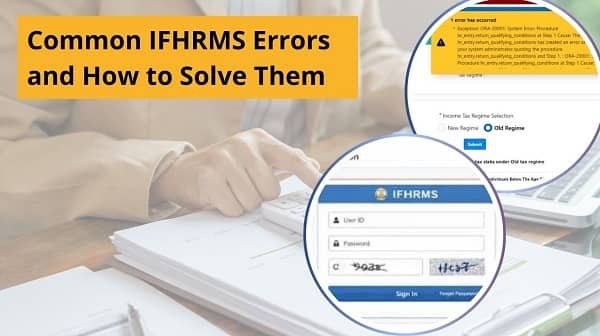
Why IFHRMS Errors Happen
Before checking specific errors, you should understand the common causes.
Main Reasons:
- Wrong login credentials
- Weak internet connection
- Browser cache issues
- Heavy server traffic
- Expired session
- Outdated browser version
- Incorrect user input
As a result, identifying the cause helps you apply the correct fix quickly.
1. Login Error – Invalid Credentials
This is one of the most common IFHRMS issues.
Why It Happens:
- Wrong User ID
- Wrong password
- Typing mistakes
- Old saved credentials
Quick Fix:
- Re-enter credentials carefully
- Turn off Caps Lock
- Use Forgot Password if needed
- Remove browser auto-fill data
Therefore, most login errors resolve quickly.
2. OTP Not Received
Many users face OTP delays during login or password reset.
Why It Happens:
- Weak mobile signal
- SMS delay
- DND enabled
- Too many OTP requests
Quick Fix:
- Check network signal
- Wait one minute
- Tap resend OTP once
- Restart phone if needed
As a result, OTP usually arrives after basic troubleshooting.
3. Account Locked
Repeated wrong attempts may lock your account temporarily.
Quick Fix:
- Wait for some time
- Use Forgot Password option
- Retry later carefully
Therefore, avoid random password attempts.
4. Website Not Opening
Sometimes, the portal itself does not load.
Why It Happens:
- Internet problem
- Browser issue
- Server downtime
- Wrong website link
Quick Fix:
- Check internet
- Use official link
- Clear cache
- Try another browser
As a result, website access returns quickly in many cases.
5. Payslip Not Showing
Users often need urgent salary records, so this issue feels serious.
Why It Happens:
- Wrong month selected
- Salary update pending
- Temporary loading glitch
Quick Fix:
- Select correct month and year
- Refresh page
- Check later after payroll update
Therefore, patience often helps.
6. Pension Slip Not Showing
Pensioners may face similar issues.
Quick Fix:
- Check selected period
- Refresh dashboard
- Retry later
- Use another browser
As a result, most missing slips appear after updates.
7. Page Loading Slowly
Slow pages can waste time.
Why It Happens:
- Weak internet
- High traffic
- Too many open tabs
- Browser overload
Quick Fix:
- Use stable internet
- Close extra tabs
- Retry later
- Restart browser
Therefore, speed improves quickly.
8. Session Expired Error
This issue appears after inactivity.
Quick Fix:
- Return to login page
- Login again
- Save work regularly
As a result, you avoid data loss.
9. PDF Not Downloading
Sometimes, salary slips or statements fail to download.
Quick Fix:
- Check internet connection
- Disable pop-up blocker
- Try another browser
- Update PDF reader
Therefore, document downloads usually work afterward.
10. Wrong Data Showing
Users may notice unexpected salary or record details.
Quick Fix:
- Refresh page
- Compare previous records
- Check selected month
- Contact office if issue continues
As a result, genuine discrepancies can be identified properly.
Quick Fix Order (Best Method)
If you face any IFHRMS error, try this order:
- Refresh page
- Check internet
- Re-login
- Clear browser cache
- Try another browser
- Retry later
- Contact support if needed
Therefore, this sequence solves many issues fast.
Common Mistakes Users Should Avoid
Many users unknowingly create more problems.
Avoid These Errors:
- Repeating wrong login attempts
- Using unofficial website links
- Ignoring browser updates
- Clicking OTP resend repeatedly
- Selecting wrong month filters
- Sharing credentials with others
As a result, careful usage prevents repeat issues.
Tips for Smooth IFHRMS Usage
If you use the portal regularly, follow these habits.
Helpful Tips:
- Save official website bookmark
- Use updated browser
- Keep mobile number active
- Download records monthly
- Use stable internet
- Logout after use
Therefore, future portal usage becomes easier.
Why Error Awareness Matters
Knowing common errors helps users stay calm and act faster.
Main Benefits:
- Saves time
- Reduces frustration
- Protects account security
- Improves work efficiency
- Avoids unnecessary office visits
As a result, basic portal knowledge becomes valuable.
When to Contact Support
Some issues need official help.
Contact Support If:
- Account stays locked for long time
- Wrong salary data repeats monthly
- Records missing for many months
- Portal errors continue daily
Therefore, support teams can inspect account-specific issues.
Conclusion
Facing technical problems on the IFHRMS Tamil Nadu Portal is common, but most issues are easy to solve. First, identify the problem, then apply the correct fix, and retry calmly. After that, if the issue continues, seek official help.
Moreover, by understanding common errors in advance, you can save time and reduce stress. In addition, regular browser updates and secure login habits improve your experience.
So, whenever IFHRMS shows an error, use this guide and solve it quickly with confidence.
FAQs on Common IFHRMS Errors
Q: Why does IFHRMS show login errors?
Usually because of wrong credentials or browser issues.
Q: What if OTP never arrives?
Check network and resend once.
Q: Can cache create problems?
Yes, old cache often causes loading issues.
Q: Why is portal slow sometimes?
Heavy traffic or weak internet may slow it.
Q: What if my payslip is missing?
Check month filter or wait for update.