 By Rahul Vats
 Getting started with the HRMS Bihar Portal is the first step toward managing your salary, leave, and service records online. However, many new users feel confused about the registration process and often struggle to create their accounts properly.
Therefore, this guide will explain how to register on the HRMS Bihar portal step by step, along with important requirements, tips, and solutions to common issues. Moreover, you will learn how to complete the process smoothly without mistakes.
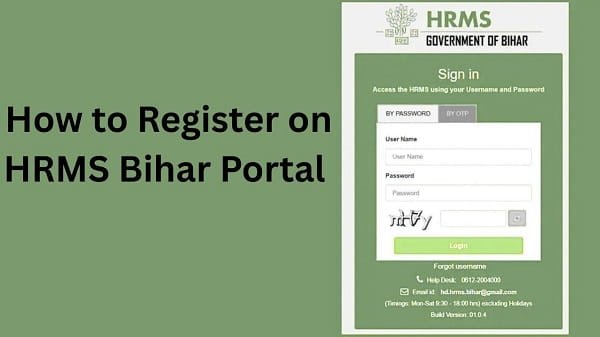
What is HRMS Bihar Registration?
Before you begin, it is important to understand what registration means. HRMS Bihar registration allows employees to create their login credentials to access the portal and use its services.
In most cases, the department provides initial details. However, users still need to complete activation or registration steps.
Who Can Register on HRMS Bihar?
Not everyone can register directly. The portal is designed for government employees.
Eligible Users:
- Bihar government employees
- Department staff with a valid employee ID
- Authorized personnel
Therefore, you must have official details before registering.
Requirements Before Registration
Before starting the process, make sure you have all the required details ready. Otherwise, you may face delays.
You Need:
- Employee ID or username
- Registered mobile number
- Email ID (if required)
- Department details
- Stable internet connection
In addition, ensure your mobile number is active for OTP verification.
Step-by-Step Guide to Register on HRMS Bihar
Now, let’s go through the complete process. Follow each step carefully for successful registration.
Step 1: Visit the Official HRMS Bihar Portal
First, open your browser and visit the official HRMS Bihar website. Always ensure you use the correct website to avoid security risks.
Once the homepage loads, look for the login or registration section.
Step 2: Click on “New Registration” or “Activate Account”
Next, find the New Registration or Activate Account option.
Then, click on it to start the registration process.
This option allows new users to create their login credentials.
Step 3: Enter Employee Details
After that, enter your basic details.
Required Information:
- Employee ID
- Date of birth
- Registered mobile number
Make sure you enter accurate details. Otherwise, the system will not verify your account.
Step 4: Verify with OTP
Once you submit your details, you will receive an OTP on your registered mobile number.
What to Do:
- Enter the OTP correctly
- Wait if there is a delay
- Avoid multiple OTP requests
As a result, your identity is successfully verified.
Step 5: Create Username and Password
After verification, you need to set your login credentials.
Tips:
- Choose a unique username
- Create a strong password
- Use a mix of letters, numbers, and symbols
Therefore, your account becomes secure.
Step 6: Submit Registration Form
Finally, click on the Submit button to complete the registration.
Once you submit:
- Your account gets created
- You can log in using your credentials
As a result, you gain access to all portal services.
What to Do After Registration
After completing registration, you should take a few additional steps.
Important Actions:
- Log in to your account
- Check your profile details
- Update missing information
- Explore available services
Therefore, you can start using the portal effectively.
Common Issues During Registration (And Fixes)
Although the process is simple, users sometimes face problems. However, you can easily fix them.
1. OTP Not Received
This issue occurs frequently.
Solution:
- Check your network connection
- Ensure your mobile number is correct
- Wait before requesting another OTP
2. Incorrect Details Error
Sometimes, the system does not accept your details.
Solution:
- Recheck employee ID
- Verify date of birth
- Contact your department if needed
3. Registration Page Not Loading
At times, the page may not open properly.
Solution:
- Clear browser cache
- Use another browser
- Check the internet connection
4. Username Already Exists
This happens if the username is already taken.
Solution:
- Choose a different username
- Use unique combinations
Tips for Smooth Registration
To avoid issues, follow these simple tips.
Helpful Tips:
- Enter details carefully
- Use a stable internet connection
- Keep your mobile ready for OTP
- Avoid rushing the process
As a result, your registration becomes smooth and quick.
Security Tips for New Users
After creating your account, you should focus on security.
Important Tips:
- Do not share your password
- Change your password regularly
- Avoid using public devices
- Log out after use
Therefore, your account remains safe.
What to Do If You Cannot Register
If you still face issues, you should take further steps.
You Can:
- Contact your department’s HR office
- Reach out to HRMS Bihar support
They can help you complete the registration.
Conclusion
Registering on the HRMS Bihar Portal is simple when you follow the correct steps. First, visit the portal, then enter your details, verify your identity through OTP, and create your login credentials.
Moreover, by understanding common issues and following best practices, you can avoid delays. In addition, securing your account ensures a safe and smooth experience.
FAQs on HRMS Bihar Registration
Q1. Can I register directly on HRMS Bihar?
A: Yes, but you need valid employee details.
Q2. What if I do not receive OTP?
A: Check your network and request OTP again.
Q3. Is registration mandatory?
A: Yes, you need to register to access portal services.
Q4. Can I register using a mobile?
A: Yes, you can use a mobile browser.
Q5. Who should I contact for help?
A: You should contact your department or HRMS support.