 By Rahul Vats
 Getting locked out of your HRMS Bihar Portal account can be stressful, especially when you need urgent access to salary slips, leave applications, or service records. Many users face this issue after multiple failed login attempts or due to security restrictions.
However, you don’t need to worry. In most cases, you can recover your account quickly if you follow the correct steps. Therefore, this guide explains why your HRMS Bihar account is locked and how to recover it step by step, along with tips to avoid this issue in the future.
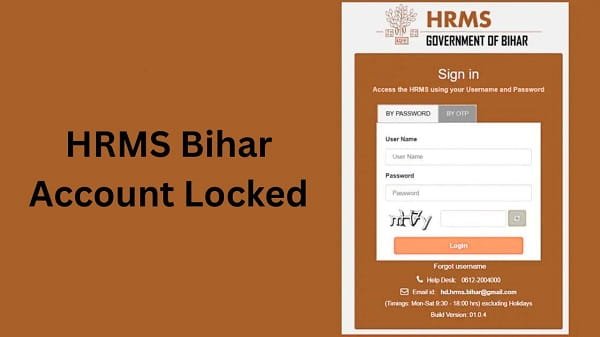
Why HRMS Bihar Account Gets Locked
Before you start the recovery process, it is important to understand the reasons behind the account lock.
Common Causes:
- Multiple incorrect login attempts
- Forgotten password
- Suspicious login activity
- System security restrictions
- Expired credentials
Therefore, identifying the cause helps you recover your account faster.
Step-by-Step Guide to Recover a Locked HRMS Bihar Account
Now, let’s go through the exact steps you should follow. Make sure you complete each step carefully.
Step 1: Wait for the Temporary Lock to Expire
First, you should wait for a while. In many cases, the system locks your account temporarily for security reasons.
What You Should Do:
- Wait for 15–30 minutes
- Avoid repeated login attempts
After that, try logging in again. Sometimes, this simple step resolves the issue.
Step 2: Use the “Forgot Password” Option
If your account remains locked, you should reset your password.
Steps:
- Click on Forgot Password on the login page
- Enter your username or employee ID
- Verify using OTP
- Create a new password
As a result, your account may unlock automatically.
Step 3: Verify OTP Carefully
During the reset process, OTP verification plays an important role.
Tips:
- Enter OTP correctly
- Wait if there is a delay
- Avoid multiple OTP requests
Therefore, proper verification ensures smooth recovery.
Step 4: Log In with New Credentials
After resetting your password, return to the login page.
What to Do:
- Enter your username
- Use the new password
If everything is correct, you will be able to access your account.
Step 5: Contact Department (If Needed)
If your account is still locked, you should contact your department.
You Can:
- Reach out to the HR office
- Request account unlock
They can verify your details and restore access.
Alternative Recovery Methods
Sometimes, basic steps may not work. In such cases, you can try additional methods.
1. Clear Browser Cache
Browser issues can prevent login.
Solution:
- Clear cache and cookies
- Restart browser
2. Try a Different Device
Device-related issues can block access.
Solution:
- Use another mobile or computer
- Update your browser
3. Check Internet Connection
A weak connection may interrupt login.
Solution:
- Use stable Wi-Fi
- Restart your router
Common Mistakes That Lead to Account Lock
Many users unknowingly cause account lock.
Avoid These Mistakes:
- Entering the wrong password multiple times
- Using outdated saved passwords
- Ignoring password updates
- Logging in from untrusted devices
Therefore, careful login practices help prevent issues.
Tips to Avoid Account Lock in the Future
While recovering your account is important, prevention is even better. Therefore, follow these tips:
Helpful Tips:
- Save your password securely
- Use strong and unique passwords
- Avoid multiple failed login attempts
- Update your password regularly
- Log out after each session
As a result, you can keep your account safe and accessible.
What to Do If Recovery Still Fails
If you still cannot access your account, you should take further steps.
You Can:
- Contact HRMS Bihar technical support
- Visit your department office
- Request manual verification
They can resolve complex issues quickly.
FAQs on HRMS Bihar Account Lock
Q1. Why is my HRMS Bihar account locked?
Ans: It is usually locked due to multiple failed login attempts or security reasons.
Q2. How long does the lock last?
Ans: In most cases, it lasts 15–30 minutes.
Q3. Can I unlock my account without resetting my password?
Ans: Sometimes yes, if the lock is temporary.
Q4. What if OTP is not received during recovery?
Ans: Check your network and registered mobile number.
Q5. Who should I contact for help?
Ans: You should contact your department or the HRMS support team.