 By Rahul Vats
 Facing an OTP issue while using the HRMS Odisha Portal can feel frustrating, especially when you need urgent access to your account. Whether you are trying to log in, reset your password, or update details, OTP verification plays a crucial role in securing your account.
However, many users report not receiving the OTP on time or at all. Fortunately, you can fix this issue quickly by following the right steps. Therefore, this guide explains why the HRMS Odisha OTP is not being received and how to fix it easily, along with practical tips to prevent the problem in the future.
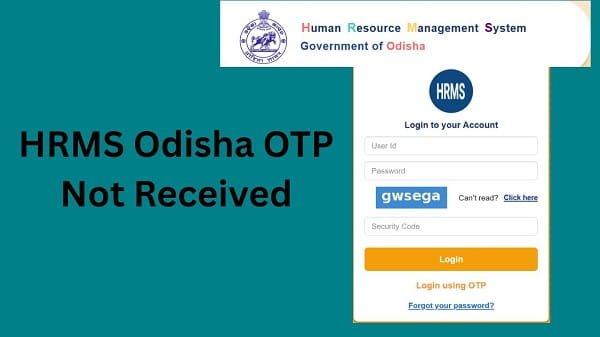
Why HRMS Odisha OTP Is Not Received
Before applying any fix, you should understand the possible reasons behind the issue. In most cases, the problem occurs due to simple technical factors.
Common Causes:
- Weak or no network signal
- Incorrect mobile number
- DND (Do Not Disturb) enabled
- Server delay or heavy traffic
- SMS inbox full
Therefore, identifying the cause helps you apply the correct solution.
1. Poor Network Connection
First, check your network signal.
Why It Happens:
If your mobile network is weak, your device may not receive SMS messages.
Fix:
- Move to an area with a better signal
- Switch between SIM networks
- Restart your phone
As a result, you may receive the OTP instantly.
2. Incorrect Mobile Number
Sometimes the issue occurs because a mobile number is incorrectly registered.
Fix:
- Verify your mobile number in the HRMS profile
- Update the correct number if needed
Therefore, always ensure your number is accurate.
3. DND (Do Not Disturb) Activated
DND settings can block OTP messages.
Fix:
- Disable DND from your phone settings
- Contact your telecom provider if needed
As a result, you will start receiving OTP messages again.
4. Server Delay or High Traffic
At times, the HRMS portal may experience heavy traffic.
Signs:
- OTP arrives late
- Multiple requests cause delays
Fix:
- Wait for a few minutes
- Avoid repeated OTP requests
- Try again after some time
Therefore, patience often resolves the issue.
5. SMS Inbox Full
If your SMS inbox is full, new messages may not arrive.
Fix:
- Delete old messages
- Free up space
As a result, your phone can receive new OTP messages.
6. Mobile Number Not Linked Properly
In some cases, your number may not be properly linked to your HRMS account.
Fix:
- Contact your department
- Update your mobile number
Therefore, proper linking ensures smooth OTP delivery.
7. Technical Glitch in Portal
Occasionally, the issue may be caused by system errors.
Fix:
- Refresh the page
- Try again later
- Contact support if needed
As a result, the issue usually resolves quickly.
Quick Fix Summary (Solve in Minutes)
If you want a quick solution, follow these steps:
- Check the network signal
- Verify mobile number
- Disable DND
- Clear SMS inbox
- Wait and request OTP again
By following these steps, you can quickly fix most OTP issues.
Tips to Avoid OTP Issues in the Future
While fixing the issue is important, prevention is even better.
Helpful Tips:
- Keep your mobile number updated
- Maintain good network connectivity
- Avoid multiple OTP requests
- Regularly clear the SMS inbox
As a result, you can avoid future problems.
What to Do If OTP Still Not Received
If you still do not receive OTP, you should take further steps.
You Can:
- Contact your department’s HR office
- Verify your account details
- Reach out to HRMS Odisha support
They can help resolve the issue quickly.
Common Mistakes You Should Avoid
Many users unknowingly make mistakes that delay OTP delivery.
Avoid These:
- Entering the wrong mobile number
- Requesting OTP multiple times quickly
- Ignoring network issues
- Keeping DND enabled
Therefore, careful handling prevents issues.
Importance of OTP in HRMS Odisha
OTP plays a vital role in account security.
Key Benefits:
- Protects your account
- Prevents unauthorized access
- Ensures safe transactions
Therefore, OTP verification is essential.
Conclusion
If you are not receiving OTPs on the HRMS Odisha Portal, you can easily fix the issue by following simple steps. First, check your network, then verify your mobile number, and finally try basic troubleshooting methods.
Moreover, understanding the causes helps you resolve the problem faster. In addition, following preventive tips ensures a smooth experience in the future.
Whenever you encounter an OTP issue, use this guide to fix it quickly and continue using HRMS Odisha without interruption.
FAQs on HRMS Odisha OTP Issue
Q1. Why am I not receiving OTP?
A: It may be due to network issues or an incorrect mobile number.
Q2. How long should I wait for OTP?
A: Usually, it arrives within a few seconds, but delays may occur.
Q3. Can DND block OTP messages?
A: Yes, DND can block SMS messages.
Q4. What should I do if the OTP is delayed?
A: Wait and try again after some time.
Q5. Who should I contact for help?
A: You should contact your department or HRMS support.